


The Acer Aspire 3 15 makes a few
Need a cheap Windows laptop? The Acer Aspire 3 15 makes a few sacrifices to hit its tempting sub-$500 price
Table of Contents
The Acer Aspire 3 15 is designed around a straightforward proposition: give shoppers a full-size Windows laptop at a price that doesn’t require a major financial commitment. With a 15.6-inch touchscreen, AMD Ryzen processor, SSD storage, and a relatively polished exterior, it checks many of the boxes buyers expect from an inexpensive everyday notebook.
But low pricing inevitably involves compromises, and the Aspire 3 15 makes several of them in areas that matter during daily use. Its battery endurance is disappointing, the display is dim and lacking in color, and its entry-level processor is better suited to light productivity than demanding multitasking. The integrated graphics also make this a poor choice for modern gaming.
That doesn’t make the Aspire 3 15 a bad laptop. Rather, it is a machine whose value depends heavily on whether its limitations match your expectations. If your computing needs consist primarily of web browsing, documents, email, online classes, and basic spreadsheets, the Aspire 3 15 can provide a usable Windows experience without costing much. If you need long unplugged battery life or consistently strong performance, however, you will probably need to spend more.
Key Specifications
| Specification | Acer Aspire 3 15 |
|---|---|
| Processor | AMD Ryzen 3 7320U |
| Graphics | Integrated AMD Radeon Graphics |
| Memory | 8GB RAM |
| Storage | 256GB SSD |
| Display | 15.6-inch, 1920 × 1080 touchscreen |
| Refresh rate | 60Hz |
| Webcam | 720p |
| Operating system | Windows 11 |
| USB-C | 1 × USB 3.2 Gen 2, up to 10Gbps, DisplayPort |
| USB-A | 2 ports |
| Video output | HDMI 2.1 |
| Audio | 3.5mm headphone jack |
| Wireless | Wi-Fi connectivity |
| Dimensions | 14.3 × 9.4 × 0.74 inches |
| Weight | 3.92 pounds |
| Tested battery life | 6 hours 56 minutes |
| Starting configuration | 128GB SSD / 8GB RAM class |
| Reviewed configuration | Ryzen 3 7320U / 8GB / 256GB SSD |
| Higher-end configuration | Up to Ryzen 5 7520U / 16GB / 1TB SSD |
| Warranty | One-year limited warranty |
Design and Build Quality
One of the Aspire 3 15’s more successful aspects is its appearance. Acer has avoided the stereotypical inexpensive-laptop aesthetic and given the machine a clean silver finish that looks considerably more polished than its price might suggest.
The exterior is understated, with Acer branding on the lid and restrained styling rather than unnecessary decorative elements. Open the laptop and the same silver finish continues around a contrasting black keyboard. It is not an especially luxurious machine, but it looks appropriate in a classroom, office, bedroom, or coffee shop.
At nearly four pounds, though, portability is only average. Its 14.3-inch width and 0.74-inch thickness are reasonable for a 15.6-inch notebook, but there are lighter alternatives available. If you regularly carry your laptop between home and work or school, the Aspire 3 15 will be noticeable in a backpack.
The hinge is another minor annoyance. It provides substantial resistance, meaning opening the lid isn’t as effortless as it is on some more refined laptops. This is hardly a deal-breaker, but it contributes to the impression that the Aspire 3 prioritizes cost over premium refinement.
Overall, the construction is perfectly appropriate for the category. The Aspire 3 15 doesn’t pretend to be a premium ultrabook, but neither does it look embarrassingly cheap.
Ports and Connectivity
Acer provides a useful selection of physical connections, which is important for a budget laptop intended to serve as a general-purpose computer.
You get two USB-A ports, one USB-C port, HDMI 2.1, a 3.5mm headphone jack, the charging connection, and a Kensington lock slot. The USB-C port supports USB 3.2 Gen 2 speeds and DisplayPort functionality, giving it more versatility than a basic charging-only USB-C connection.
The biggest limitation is the number of USB-C ports. Having only one means users with several modern accessories may eventually need a hub or dock.
Still, the port selection is practical for typical users. Connecting a mouse, external storage, headphones, printer, or external monitor should be straightforward without requiring adapters for every accessory.
Display Quality
The 15.6-inch 1080p touchscreen sounds appealing on paper. A large Full HD touchscreen at this price is useful for productivity and casual entertainment, and the resolution is perfectly adequate for ordinary Windows applications.
Unfortunately, the panel itself is one of the Aspire 3 15’s weakest components.
Testing recorded approximately 223.4 nits of brightness, making the screen relatively dim. Color coverage was also limited, reaching roughly 68.3% of the sRGB gamut and 48.4% of DCI-P3. Those figures explain why photographs, movies, and colorful graphics can appear muted rather than vibrant.
For office applications, web pages, email, and documents, the screen remains usable. The 1920 × 1080 resolution provides sufficient workspace for everyday computing, and the touchscreen adds an extra method of interacting with Windows.
Entertainment is another story. Movies and games depend heavily on contrast, brightness, and color reproduction, and the Aspire 3’s panel does not provide the visual impact of more expensive laptops.
The touchscreen is therefore best regarded as a convenience rather than a premium feature. It adds functionality, but it doesn’t transform the display into an entertainment-focused panel.

Keyboard and Touchpad
The keyboard is one area where Acer has done a respectable job considering the price.
The keys have a textured surface and are spaced sensibly, creating a comfortable enough layout for writing documents, email, and schoolwork. Key travel is somewhat limited, however, and the keyboard doesn’t deliver the particularly deep or responsive feel found on more expensive machines.
Typing performance reflects that compromise. A tested typing speed of 78 words per minute was close to the reviewer’s 81-wpm average, suggesting that the keyboard is certainly capable of supporting serious everyday typing.
The touchpad is similarly adequate. Its surface is smooth and provides comfortable cursor movement, but the physical click mechanism feels somewhat stiff and muted.
These aren’t flaws that prevent productive work. In fact, the keyboard may be one of the reasons to consider the Aspire 3 over an equally inexpensive machine with a less comfortable typing experience.
Performance Analysis
The Aspire 3 15 uses AMD’s Ryzen 3 7320U, paired with 8GB of RAM and a 256GB SSD in the reviewed configuration. This hardware combination is aimed squarely at entry-level productivity.
For basic activities, performance is sufficient. Browsing the web, writing documents, managing email, attending online meetings, and working with ordinary spreadsheets are all realistic workloads.
The limitations become more obvious as multitasking increases.
Opening numerous browser tabs while simultaneously running video or other applications can cause noticeable slowdowns. The system is not designed for heavy multitasking, large creative projects, software development workloads, or demanding professional applications.
Benchmark results reinforce this positioning. The machine achieved 4,175 in Geekbench 6, substantially below the roughly 10,000-point results recorded by significantly more powerful competing systems in the reference comparison. Its HandBrake video conversion time was 11 minutes and 59 seconds, illustrating how much longer demanding CPU workloads can take.
The SSD also isn’t particularly impressive. Sequential read and write measurements were around 766MB/s and 746MB/s respectively in the cited testing. That’s functional for everyday Windows use, but modern premium laptops can offer dramatically faster storage.
The important takeaway isn’t that the Aspire 3 is unusable. It isn’t. The issue is that its performance ceiling arrives quickly. Users who stay within light workloads should be fine; users who routinely push their computers will notice the limitations.
Heat and Everyday Comfort
Thermal performance is another area where the Aspire 3 15 gives up some ground.
The hottest measured surface reached approximately 107.4 degrees Fahrenheit on the underside during testing. That’s above the cited 95-degree comfort threshold.
For a machine intended primarily for light productivity, that is less impressive than expected. Users working at a desk are unlikely to encounter a serious problem, but prolonged demanding workloads could make the underside uncomfortable if the laptop is resting directly on the legs.
The thermal behavior also reinforces the laptop’s intended purpose: this is not a machine designed for sustained high-performance workloads.
Gaming and Graphics
Gaming is not the Aspire 3 15’s strong suit.
The integrated AMD Radeon graphics are suitable for basic graphical tasks and perhaps extremely lightweight games, but they aren’t intended for serious modern gaming.
In the cited Civilization VI benchmark at 1080p and Medium settings, the laptop averaged only 10 frames per second. That is far below a comfortable gaming experience.
Older or exceptionally undemanding games may be playable after reducing resolution and graphical settings, but buyers shouldn’t purchase the Aspire 3 15 expecting a gaming machine.
The same limitation applies to demanding creative applications. Basic photo adjustments may be possible, but users working with extensive video editing, 3D rendering, or GPU-intensive software should look for substantially more capable hardware.

Battery Life
Battery life is arguably the Aspire 3 15’s biggest weakness.
In the cited web-browsing battery test, the laptop lasted 6 hours and 56 minutes. That is enough for several hours of ordinary work, but it falls significantly short of the 10-hour-plus endurance achieved by several comparison systems in the same test.
This matters because battery life isn’t an optional luxury for many laptop buyers. Students may need a computer to last through classes, commuters may not have easy access to power outlets, and remote workers often move around throughout the day.
The Aspire 3 therefore makes more sense as a laptop that spends much of its time near a charger.
For someone who mainly works at a desk, the battery limitation is manageable. For someone expecting an all-day mobile computer, it is much harder to overlook.
Audio and Webcam
The built-in speakers are another area where expectations need to remain realistic. They are usable for system sounds, video calls, and casual video watching, but the output is relatively quiet and lacks the balance and richness found on better laptops.
Headphones or external speakers are a better choice for music and movies.
The 720p webcam follows a similar pattern. It works for video meetings, but image quality is limited by modest resolution and weak handling of bright backgrounds. Users who frequently appear on camera may want to add an external webcam.
This is a recurring theme with the Aspire 3: almost every feature functions, but few are designed to impress.
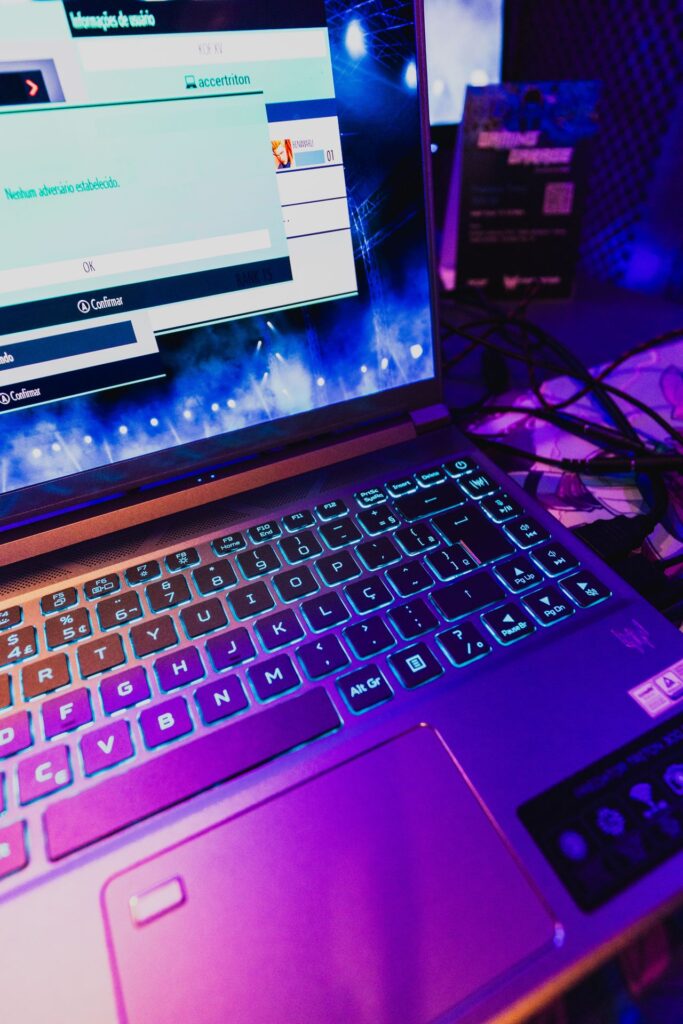
AI Capabilities
The Aspire 3 15 isn’t an AI-focused laptop.
Its Ryzen 3 7320U does not include a dedicated NPU for local AI processing, so it lacks the specialized hardware found in newer AI PCs designed around on-device workloads.
Windows can still provide access to cloud-based AI features, including Copilot-related functionality, but that is different from having dedicated AI acceleration built into the processor.
For someone shopping specifically for an AI PC, this isn’t the appropriate machine. For a user who simply wants an inexpensive Windows laptop and has little interest in local AI processing, the limitation may not matter.
Software and Warranty
Acer’s software package is relatively straightforward. Care Center provides access to system information, hardware diagnostics, updates, tuning options, and recovery tools. Acer also supplies its Purified Voice Console for microphone-related noise reduction and a product-registration application.
The reviewed machine includes a one-year limited warranty.
There is also an important configuration distinction to consider. Some cheaper Aspire 3 models ship with Windows 11 in S mode, which restricts software installation to Microsoft’s approved ecosystem until the user switches out of S mode.
Buyers should therefore check the exact configuration before purchasing, particularly when comparing unusually low prices.
Pros and Cons
Pros
- Affordable: The Aspire 3 15 delivers a full Windows laptop experience at a relatively low price.
- Attractive design: Its silver exterior looks cleaner and more sophisticated than many budget notebooks.
- Comfortable keyboard: The well-spaced, textured keys make everyday typing reasonably pleasant.
- Useful connectivity: USB-A, USB-C, HDMI, and a headphone jack cover most ordinary needs.
- Full HD touchscreen: A 15.6-inch 1080p touchscreen adds flexibility at this price level.
- Upgradeable configuration range: Buyers can choose from lower-cost and more capable configurations depending on availability.
Cons
- Weak battery endurance: Under seven hours in the cited test is disappointing for a modern laptop.
- Dim display: Approximately 223 nits makes the panel less suitable for bright environments.
- Limited color reproduction: The display is functional but not ideal for media consumption or creative work.
- Modest performance: The Ryzen 3 7320U is designed for light workloads rather than demanding multitasking.
- Poor gaming capability: Integrated graphics produce very low frame rates in demanding games.
- Mediocre speakers: Audio is usable but quiet and lacking in richness.
- Basic webcam: The 720p camera is adequate for calls but not especially impressive.
- Limited USB-C connectivity: One USB-C port may not be enough for users with several modern peripherals.
Who Is This For?
The Acer Aspire 3 15 makes the most sense for buyers with straightforward computing requirements and a strict budget.
Students
Students who primarily need Microsoft Office, web research, online learning platforms, note-taking, and video calls can use the Aspire 3 effectively. The large 15.6-inch screen is useful for documents and split-screen work, although the mediocre battery life means carrying the charger may be necessary.
Home and Family Users
For basic household computing—email, browsing, online shopping, streaming, documents, and general administration—the Aspire 3 provides enough capability without paying for hardware that won’t be used.
Budget-Conscious Windows Buyers
If Windows is a requirement and price is the primary concern, the Aspire 3’s combination of a large screen, SSD, touchscreen, and familiar Windows environment makes it appealing.
Users Who Mostly Stay Near Power
Because of its limited battery endurance, the laptop is better suited to a desk-based lifestyle. If your laptop normally sits at a home office or workstation with an outlet nearby, the battery limitation becomes less significant.
Who Should Look Elsewhere?
Power users, gamers, video editors, photographers, programmers working with demanding development environments, and frequent travelers should consider more capable hardware.
The same applies to anyone who places a high priority on display quality. The Aspire 3’s screen is functional rather than visually impressive.
Final Verdict
The Acer Aspire 3 15 is a classic example of a budget laptop where the price determines almost every design decision.
Its strengths are easy to understand. You get a respectable-looking 15.6-inch Windows laptop, a Full HD touchscreen, SSD storage, a decent keyboard, useful ports, and enough processing power for ordinary productivity. For a low-cost machine, those are meaningful advantages.
The compromises are equally clear. Battery life is below what many modern laptop buyers expect, performance is limited under heavier workloads, the display is dim and relatively muted, and the speakers and webcam are basic.
Ultimately, the Aspire 3 15 works best when treated as an inexpensive everyday computer rather than an all-purpose performance machine. It can browse the web, handle documents, manage email, run spreadsheets, and perform other light tasks without demanding a large investment. What it cannot do is convincingly imitate a more expensive laptop in every category.
That distinction is important. A budget laptop doesn’t necessarily need to excel everywhere; it needs to provide enough capability for its intended audience without creating frustrations that outweigh the savings. The Aspire 3 15 gets many of the basics right, but its short battery life is a particularly meaningful weakness for a portable computer.
The bottom line: the Acer Aspire 3 15 is best suited to budget-conscious users who want a large-screen Windows laptop for light everyday computing and don’t mind staying close to a charger. Its attractive design, comfortable-enough keyboard, touchscreen, and sensible port selection make it practical, but buyers seeking long battery life, stronger performance, high-quality visuals, or gaming capability should consider stepping up to a more capable laptop.