

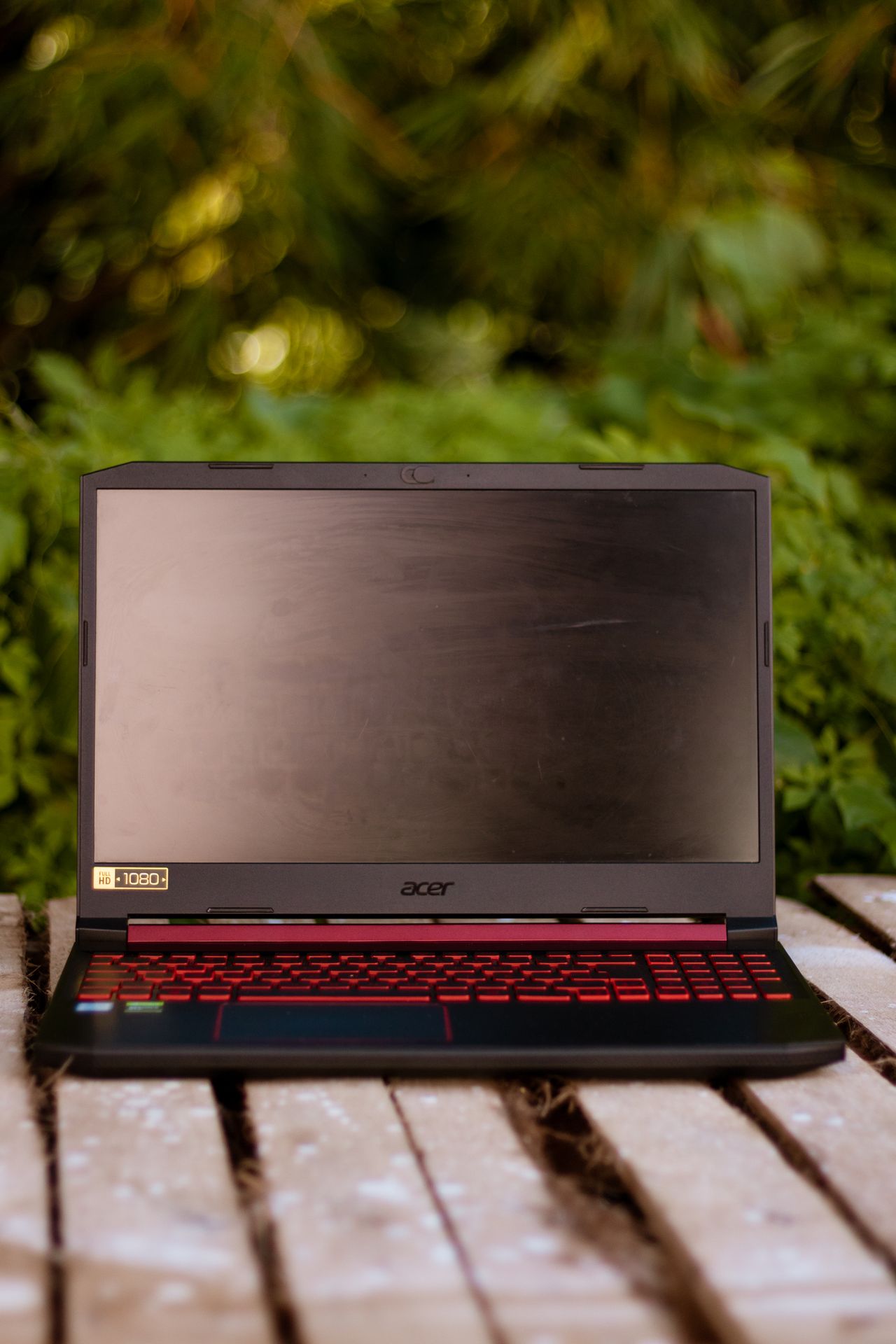
Acer Swift Go 16 review: Premium performance for a decent price
Table of Contents
Finding a laptop that strikes a true equilibrium between cutting-edge computing horsepower and reasonable pricing is one of the hardest challenges in modern consumer technology. Manufacturers frequently compromise on essential features—trimming battery capacity, installing subpar thermal solutions, or limiting memory bandwidth—just to bring high-tier processors under a competitive MSRP.
With the Acer Swift Go 16 (2024), Acer attempts a delicate balancing act. Powered by Intel’s top-tier Meteor Lake silicon—the Intel Core Ultra 9 185H—and equipped with 32GB of high-speed memory, this 16-inch notebook promises flagship-level processing speed for $1,199. While it makes a few notable concessions in chassis rigidity and peak display brightness, it delivers impressive productivity performance and all-day endurance for power users on a budget.
Key Specifications Table
| Feature / Component | Acer Swift Go 16 (Tested Model) | Notes & Upgrade Options |
| MSRP / Starting Price | $1,199 | Competitive mid-range tier |
| Processor (CPU) | Intel Core Ultra 9 185H (16 Cores, 22 Threads) | Meteor Lake architecture with dedicated NPU |
| Graphics (GPU) | Intel Arc Integrated Graphics | Shared system memory architecture |
| System Memory (RAM) | 32GB LPDDR5X-6400 | Fixed onboard memory |
| Storage (SSD) | 1TB PCIe NVMe SSD | Configurable up to an extraordinary 8TB SSD |
| Display Panel | 16-inch FHD (1920 x 1080) IPS, 60Hz | 16:10 aspect ratio |
| Color Gamut & Brightness | 86% DCI-P3 / 332 nits average | High color accuracy, average indoor luminance |
| Battery Life | 10 hours, 35 minutes | Continuous Wi-Fi web browsing test (150 nits) |
| Webcam | 1440p (QHD) 2560 x 1440 | Includes Acer PurifiedView AI enhancements |
| Wireless Connectivity | Wi-Fi 6E / Wi-Fi 7 capable, Bluetooth 5.3 | High-throughput networking |
| Weight & Dimensions | 3.5 lbs (1.58 kg) / 14.0 x 9.6 x 0.6 inches | Exceptionally thin for a 16-inch form factor |
| Port Selection | 2x Thunderbolt 4, 2x USB 3.2 Gen 1 Type-A, 1x HDMI 2.1, MicroSD Reader, 3.5mm Audio, Kensington Lock | Full productivity suite |
Design, Ergonomics, and Build Quality
Visually, the Acer Swift Go 16 hits the mark for modern professional aesthetics. Dressed in a subtle “Iron” dark silver finish, the anodized aluminum chassis looks sleek and minimalist. The reflective Acer logo on the top lid provides just enough contrast to break up the metallic surface without feeling ostentatious.
Carrying a 16-inch laptop often means accepting a bulky footprint, but Acer managed to trim this chassis down to a lithe 0.6 inches thick while keeping the weight to 3.5 pounds. This makes it remarkably effortless to slip into a backpack, edging out standard desktop replacement models in portable ease.
Weight Comparison (16-inch & 14-inch Class)
--------------------------------------------------
Lenovo Yoga 9i (14")     [2.9 lbs]  ■■■■■■■■
Dell Inspiron 14 (14")   [3.2 lbs]  ■■■■■■■■■
Asus Zenbook S16 (16")   [3.3 lbs]  ■■■■■■■■■■
Acer Swift Go 16 (16")   [3.5 lbs]  ■■■■■■■■■■■
--------------------------------------------------
However, lightness comes with trade-offs. The overall structural rigidity leaves something to be desired. While the aluminum lid offers acceptable protection for the panel, the lower deck exhibits noticeable flexing under pressure. Pressing down firmly near the trackpad or central keyboard zone causes the chassis metal to give inward slightly—a side effect of utilizing thinner gauge aluminum to maintain a sub-4-pound weight.
I/O Port Selection
Where many modern laptops force users into dongle adapters, the Swift Go 16 delivers a comprehensive physical interface suite:
- Left Side: 2x Thunderbolt 4 / USB-C ports (supporting Power Delivery and DisplayPort), 1x USB 3.2 Gen 1 Type-A, and a full-sized HDMI 2.1 port.
- Right Side: 1x USB 3.2 Gen 1 Type-A, 1x MicroSD card reader, 1x 3.5mm combination headphone/microphone jack, and a Kensington Lock slot.
Display, Audio, and Input Experience
Visual Performance
The 16-inch panel presents a mixed bag. On one hand, color reproduction is punchy and deep for a standard LCD panel. Registering 86% coverage of the cinema-grade DCI-P3 color space, colors pop vividly when streaming high-definition content or editing photos. In comparative color gamut testing, it outperforms competitors like the Asus Zenbook S16 (80%) and Dell Inspiron 14 Plus (69%), though it naturally falls behind high-end OLED alternatives such as the Lenovo Yoga 9i (136%).
Color Coverage (DCI-P3 Gamut)
--------------------------------------------------
Dell Inspiron 14 Plus    [69%]      ■■■■■■■■■
Asus Zenbook S16         [80%]      ■■■■■■■■■■■
Acer Swift Go 16         [86%]      ■■■■■■■■■■■■
Lenovo Yoga 9i (OLED)   [136%]     ■■■■■■■■■■■■■■■■■■
--------------------------------------------------
Where the display stumbles is brightness and refresh rate. Peaking at 332 nits average brightness, it sits below the 378-nit mainstream laptop average. Indoor productivity under standard office lighting is crisp, but working near direct sunlight or outdoors will wash out the panel. Additionally, sticking with a basic 1080p resolution and a 60Hz refresh rate on a 16-inch panel feels slightly dated in an era where high-refresh 120Hz/1440p displays are becoming the default.
Acoustics & Integrated Webcam
The downward-firing stereo speakers are clear and well-balanced across mids and highs, avoiding distortion even when pushed to max volume. Vocals and acoustic instruments sound crisp, making it suitable for casual media viewing and conference calls. However, overall peak volume lacks heavy low-end impact, so external headphones are recommended for immersive movies or music.
On the other hand, the webcam is a stand-out highlight. Acer equipped the laptop with a 2560 x 1440 (QHD) sensor that captures impressive facial detail, sharp edges, and natural color tones. Coupled with Acer’s PurifiedView AI-assisted background blur and eye-contact framing, it easily outperforms the standard 1080p webcams found on most competing ultrabooks.
Keyboard & Trackpad Ergonomics
The spacious 16-inch deck accommodates a full QWERTY layout alongside a dedicated numeric keypad. While financial analysts and data entry workers will appreciate the numpad, key placement feels slightly condensed to fit the frame.
The keystrokes themselves feel shallow and somewhat spongy, lacking the snappy mechanical tactile feedback found on premium business laptops. However, typing speed remains unaffected: standard typing tests comfortably yield 110 WPM at 97% accuracy.
+-----------------------------------------------------------------------+
| [Esc] [F1-F12]                                      [PrtSc] [Del]     |
| [ ~ ] [1] [2] [3] [4] [5] [6] [7] [8] [9] [0] [-] [=] [ Backspace ]   |
| [Tab]   [Q] [W] [E] [R] [T] [Y] [U] [I] [O] [P] [ [ ] [ ] ] [ \ ]     |
| [Caps]   [A] [S] [D] [F] [G] [H] [J] [K] [L] [ ; ] [ ' ]  [Enter]     |
| [Shift]   [Z] [X] [C] [V] [B] [N] [M] [ , ] [ . ] [ / ]   [Shift]     |
| [Ctrl] [Win] [Alt]       [   Spacebar   ]       [Alt] [Fn] [Ctrl]     |
+-----------------------------------------------------------------------+
| Large 4.9 x 3.0" Clickpad with Full-Surface Click Actuation           |
+-----------------------------------------------------------------------+
The 4.9 x 3.0-inch trackpad is spacious, smooth, and tracks Windows Precision gestures flawlessly. However, because the surrounding aluminum deck material is thin, pushing down hard on the lower half of the clickpad causes the metal frame to flex inward slightly.
Detailed Performance Analysis
Under the hood, the Acer Swift Go 16 is built for heavy multitasking. The combination of Intel’s flagship Core Ultra 9 185H processor, 32GB of ultra-fast LPDDR5X-6400 DRAM, and a 1TB NVMe SSD ensures that high-load software workflows run seamlessly without hitting system bottlenecks.
CPU Performance & Multi-Core Benchmarks
Intel’s Meteor Lake Ultra 9 185H architecture blends Performance cores, Efficient cores, and Low-Power Efficient cores alongside a dedicated Neural Processing Unit (NPU) for local AI workloads.
In synthesis benchmarks like Geekbench 6.2, the Swift Go 16 recorded a multi-core score of 13,088 points, handily outpacing the mainstream laptop average (9,883 points).
Geekbench 6 Multi-Core Performance Comparison
--------------------------------------------------
Lenovo Yoga 9i (Ultra 7 155H)         [12,455]
Dell Inspiron 14 Plus (Snapdragon X) [13,281]
Acer Swift Go 16 (Ultra 9 185H)      [13,088]
Asus Zenbook S16 (Ryzen AI 9 HX 370)  [13,282]
--------------------------------------------------

Video Transcoding & Real-World Productivity
In practical compute tests—such as converting a heavy 4K raw video file down to 1080p using HandBrake—the Swift Go 16 completed the task in 4 minutes and 51 seconds. This easily beats the category average of nearly 8 minutes:
- Acer Swift Go 16: 4:51
- Asus Zenbook S16: 5:08
- Lenovo Yoga 9i: 5:10
- Dell Inspiron 14 Plus: 6:23
Storage Bandwidth
Data transfers are handled rapidly by the internal PCIe 4.0 NVMe drive. In file duplication tests (duplicating 25GB of mixed media files), the system sustained write speeds of 1,468 MB/s. While marginally behind Qualcomm-based systems like the Inspiron 14 Plus (1,510 MB/s), it easily outpaces the Asus Zenbook S16 (908 MB/s) and Lenovo Yoga 9i (1,016 MB/s). Power users requiring massive local media libraries will also appreciate that Acer offers factory configurations expandable up to an enormous 8TB SSD capacity.
Integrated Graphics & Gaming Expectations
The integrated Intel Arc GPU offers a noticeable jump over older Iris Xe solutions, making light video rendering and casual gaming feasible:
- 3DMark FireStrike Synthetic Benchmark: The system generated a score of 8,642, noticeably outperforming the 6,894 category average and beating AMD’s integrated alternative on the Zenbook S16 (7,468).
- Civilization VI (1080p Benchmark): The Swift Go 16 maintained an average of 48 FPS. While playable, AMD’s Radeon 890M integrated solution in the Zenbook S16 ran significantly smoother at 63 FPS.
This machine is not built as a primary gaming laptop, but it handles esports titles (like Valorant or League of Legends) and strategy games at 1080p with comfortable frame rates.

Thermal Efficiency & Battery Longevity
During synthetic load tests, thermal management proved effective. Under sustained processing workloads, temperatures remained controlled:
- Touchpad Surface: 81°F (27.2°C)
- Center Keys (G/H): 90°F (32.2°C)
- Underside Chassis: 86°F (30.0°C)
- Hottest Point (Bottom Vents): 96°F (35.5°C)
Because operating temperatures remain below our standard 95°F comfort threshold across primary touchpoints, you can comfortably use this laptop on your lap during extended sessions.
In laptop battery life testing (continuous web surfing over Wi-Fi calibrated at 150 nits), the 65Wh battery lasted 10 hours and 35 minutes. This easily gets you through a full workday without needing to tether to a wall outlet.
Battery Endurance (Hours:Minutes)
--------------------------------------------------
Lenovo Yoga 9i       [07:24]  ■■■■■■■
Acer Swift Go 16     [10:35]  ■■■■■■■■■■
Asus Zenbook S16     [11:35]  ■■■■■■■■■■■
Dell Inspiron 14     [18:20]  ■■■■■■■■■■■■■■■■■■
--------------------------------------------------
Pros and Cons Breakdown
What We Like (Pros)
- Exceptional Computing Power: The Intel Core Ultra 9 185H CPU paired with 32GB RAM crushes heavy multitasking, software development, and video encoding workflows.
- Impressive Portability for a 16-Inch Laptop: Weighing just 3.5 pounds and measuring 0.6 inches thick, it offers desktop-sized workspace without adding unnecessary luggage bulk.
- Vibrant Color Reproduction: 86% DCI-P3 color gamut coverage brings vivid hues and rich tones to video streaming and creative work.
- All-Day Battery Life: Surpasses 10.5 hours of continuous light web tasks, eliminating battery anxiety during work trips.
- Superb 1440p Webcam: Unusually sharp video clarity for virtual meetings and video calls.
- Flexible Storage Configurations: Massive upgrade path offering factory drive options up to 8TB.
What Could Be Improved (Cons)
- Flexing Metal Deck: Thin chassis material around the palm rest and keyboard flexes under firm pressure.
- Subdued Display Brightness: 332 nits peak luminance falls below category averages, restricting outdoor use.
- Spongy Key Switches: Shallow key travel limits tactile feedback during long writing sessions.
- Basic Refresh Rate: The 60Hz display panel lacks the smoothness offered by modern 120Hz competition.
Who Is This For?
Ideal For:
- Power Users & Professionals: Individuals who regularly run heavy computational workloads, compile code, handle massive spreadsheets, or multitask with dozens of browser tabs and apps running concurrently.
- Remote Workers & Frequent Travelers: Anyone needing a large 16-inch workspace who isn’t willing to carry a heavy 5-pound machine or worry about keeping their charger plugged in constantly.
- Content Creators on a Budget: Video editors and graphic designers looking for sharp 1440p camera input, high DCI-P3 color accuracy, and massive SSD capacity options without paying $2,000+.
Skip This If:
- You Work Outdoors Frequently: The 332-nit display panel struggles against direct sunlight and bright glare.
- You Demand Premium Build Rigidity: Users who expect a solid chassis with zero flex should look toward heavier, unibody alternatives like the MacBook Pro or Asus Zenbook series.
- You Want a Dedicated Gaming Rig: Integrated Intel Arc graphics are great for productivity, but struggle with demanding modern AAA gaming titles.
Final Verdict
The Acer Swift Go 16 (2024) delivers tremendous value in the mid-range computing market. By pairing Intel’s top-tier Core Ultra 9 processor with 32GB of RAM for $1,199, Acer provides performance metrics that frequently rival or beat machines costing hundreds more.
It isn’t perfect—the minor chassis flex, shallow key switches, and 332-nit 60Hz display prevent it from achieving total ultrabook perfection. However, these trade-offs are easy to overlook when weighed against its lightweight 3.5-pound frame, 10.5-hour battery endurance, punchy color presentation, and phenomenal productivity speed. For students, remote professionals, and tech enthusiasts looking to maximize their hardware investment, the Swift Go 16 stands out as a highly capable workstation.