


The Best Laptops for College Students in 2026
Table of Contents
Choosing a college laptop is less about finding the most powerful computer and more about finding the right balance between portability, performance, battery life, display quality, and price. Students may use the same machine for writing papers, attending online lectures, researching, programming, creating presentations, streaming media, and—depending on the major—running demanding creative or technical software.
The 2026 laptop market offers an unusually broad range of choices. Traditional Windows notebooks now compete with Apple’s latest M5-powered MacBook Air, affordable MacBook models, Snapdragon-based Windows PCs, increasingly capable Chromebooks, versatile 2-in-1 systems, and gaming laptops that can double as powerful academic workstations.
Rather than treating every student as having the same needs, this guide examines the leading categories and explains what each type of laptop brings to campus.

Key Specifications at a Glance
| Laptop | Primary Use | Processor | RAM Tested | Storage | Display | Weight | Tested Battery |
|---|---|---|---|---|---|---|---|
| HP OmniBook 5 14 | General college use | Qualcomm Snapdragon X Plus | 32GB | 1TB SSD | 14-inch OLED, 1920×1200 | 2.98 lbs | 34h 48m |
| MacBook Air 13-inch (M5) | General macOS use | Apple M5, 10-core | 16GB | 1TB SSD | 13.6-inch, 2560×1664 | 2.7 lbs | 18h 04m |
| Dell XPS 13 (2026) | Budget Windows use | Intel Core 5 320 | 8GB | 512GB SSD | 13.4-inch IPS, 2560×1600, 120Hz | 2.2 lbs | 21h 51m |
| MacBook Neo | Affordable macOS computing | Apple A18 Pro | — | — | High-resolution display | — | — |
| LG Gram Pro 2-in-1 16 | Convertible productivity | — | — | — | 16-inch OLED touchscreen | — | Long-lasting |
| Acer Aspire 16 AI | Large-screen productivity | — | — | — | 16-inch, 120Hz display | — | Long-lasting |
| Asus ProArt PZ13 | Tablet-style note-taking | Qualcomm Snapdragon | — | — | OLED touchscreen | — | — |
| MSI Katana 15 HX | Gaming + schoolwork | Intel HX-class CPU | — | 512GB SSD | 15-inch gaming display | — | — |
| Samsung Galaxy Book6 Ultra | High-end workstation use | High-performance Intel processor | — | — | AMOLED touchscreen | — | Long-lasting |
| Acer Chromebook Plus Spin 714 | ChromeOS/student essentials | Intel Core Ultra | — | — | Touchscreen, convertible | — | Excellent |
Specifications vary by configuration. The table reflects the configurations and information supplied in the reference material.
HP OmniBook 5 14: A Strong All-Around Windows Option
For students who want a conventional Windows laptop without spending heavily on premium hardware, the HP OmniBook 5 14 stands out for its combination of portability, OLED display quality, and exceptional battery endurance.
Its Snapdragon X Plus processor is particularly interesting because the machine emphasizes efficiency rather than brute-force graphics performance. The tested configuration pairs the processor with 32GB of memory and a 1TB SSD, giving it considerably more headroom than many entry-level student notebooks.
The 14-inch 1920×1200 OLED panel is another major advantage. OLED technology provides deep blacks, strong contrast, and vibrant colors, making the notebook useful for everything from reading documents to watching movies. At just under three pounds and approximately 0.6 inches thick, it remains practical for daily campus transportation.
The standout statistic is battery life. The supplied test result of 34 hours and 48 minutes is extraordinary, although real-world workloads will generally produce shorter results. Video playback tests are designed to provide a standardized comparison rather than predict precisely how long a student will get while multitasking, using demanding applications, and running at high brightness.
The main compromise is graphics performance. Integrated Snapdragon graphics are adequate for ordinary productivity, but this isn’t the machine to choose for serious gaming, advanced 3D work, or GPU-intensive engineering applications. The plastic keyboard deck also leaves some room for improvement in structural rigidity.
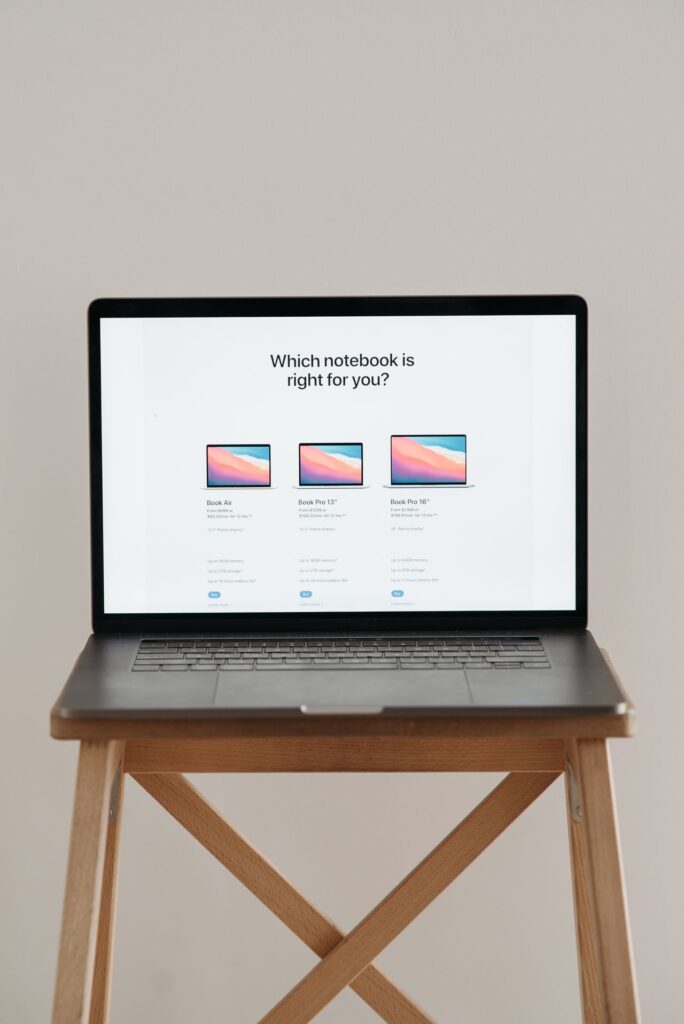
Apple MacBook Air 13-inch (M5): Compact macOS Power
The 2026 MacBook Air with Apple’s M5 processor takes a different approach. It retains the familiar thin aluminum design while improving internal performance and storage capabilities.
The 10-core M5 processor gives the Air substantial performance for everyday productivity, coding, image work, multimedia, and other moderately demanding tasks. Because the MacBook Air uses a fanless design, it also operates quietly, which can be particularly useful in classrooms, libraries, and shared study spaces.
Its 13.6-inch 2560×1664 display is sharp and well suited to text-heavy work. The 2.7-pound chassis is also easy to carry throughout a busy school day.
Battery endurance remains strong, although the supplied testing indicates that the M5 model’s 18-hour-and-4-minute result is below the remarkable endurance of the Snapdragon-powered HP. That does not make the Air impractical for campus use; it simply highlights the different priorities of these platforms.
One notable limitation is that Apple continues to use an LED panel rather than offering an OLED display in this model. The exterior design also changes little from previous generations, so owners of a recent MacBook Air may find the physical experience familiar.
Dell XPS 13 (2026): Lightweight Windows Computing
The 2026 Dell XPS 13 targets students who prioritize portability and price. At approximately 2.2 pounds, it is the lightest of the three directly compared configurations in the supplied specifications.
Its 13.4-inch 2560×1600 IPS touchscreen supports a 120Hz refresh rate, giving scrolling and compatible animations a smoother appearance than a traditional 60Hz panel. The all-metal construction also provides a premium feel uncommon in the budget segment.
The Intel Core 5 320 processor is designed for mainstream productivity rather than workstation-class workloads. For web browsing, office applications, research, presentations, communications, and typical student software, that performance profile makes sense.
The major concern is the tested 8GB of RAM. While 8GB can handle basic workloads, students who routinely keep many browser tabs and applications open—or who use specialized academic software—may benefit from more memory.
Connectivity is another compromise. The laptop has only two USB-C ports and lacks a headphone jack, so students who regularly connect accessories may need adapters or a USB-C hub.
MacBook Neo: Affordable Entry to Apple’s Ecosystem
The MacBook Neo occupies an interesting position because it brings Apple’s software ecosystem and aluminum construction to a lower price category.
The reference material highlights strong everyday performance, surprisingly capable graphics, and a display that is sharper and more colorful than many budget notebooks. Its rigid aluminum construction also helps it feel substantially more premium than its price might suggest.
The compromises are concentrated around expansion and convenience. Port selection is limited, one USB port uses the slower USB 2.0 standard, and the keyboard lacks backlighting.
For students who primarily work in web browsers, office applications, documents, messaging, and other everyday software, these limitations may be manageable. Students with extensive peripheral requirements should pay closer attention to connectivity.
LG Gram Pro 2-in-1 16: A Large Convertible for Flexible Study
The LG Gram Pro 2-in-1 16 approaches college computing from another angle. Instead of maximizing compactness, it combines a large 16-inch OLED display with a convertible chassis.
The ability to switch between conventional laptop mode and tablet-oriented modes can be useful for students who annotate documents, draw diagrams, review presentations, or prefer touchscreen interaction.
Its magnesium chassis helps keep the large machine relatively slim, while the included stylus adds meaningful functionality rather than simply serving as an optional accessory.
Battery life is another strong point. The trade-off is price: this is substantially more expensive than mainstream student notebooks. The lack of a dedicated GPU also means the large OLED display and convertible design should not be confused with a high-end gaming workstation.

Acer Aspire 16 AI: When Screen Size Matters
The Acer Aspire 16 AI is aimed at students who prefer working on a larger canvas. A 16-inch display is useful for split-screen research, spreadsheets, programming environments, design applications, and long documents.
The 120Hz display provides smoother movement, while the unusually high-resolution 1440p webcam is a useful feature for students who participate in frequent video meetings or remote classes.
Connectivity is another advantage. A broad port selection reduces the need for dongles when connecting classroom accessories, displays, storage devices, or other peripherals.
The drawbacks are relatively straightforward. The keyboard is described as stiff, while the speakers could provide more power given the size of the chassis.
Asus ProArt PZ13: A Note-Taking Specialist
The ProArt PZ13 takes the detachable approach, functioning more like a tablet that can become a laptop than a traditional notebook that happens to have a touchscreen.
That makes it particularly appealing to students who take handwritten notes, annotate PDFs, sketch concepts, or frequently move between tablet and laptop workflows. Its OLED display is a major attraction, while the included keyboard and kickstand cover make it substantially more practical as a computer than a conventional tablet.
The dual cameras and SD card slot also broaden its usefulness.
There are several caveats, however. The stylus is not included, port selection is limited, and there is no headphone jack. The use of Windows on Arm also means software compatibility deserves consideration before purchase, particularly for students whose courses depend on specialized desktop applications.
MSI Katana 15 HX: School During the Day, Gaming at Night
For students who want one computer to handle both coursework and demanding games, a gaming laptop can make more sense than maintaining separate systems.
The MSI Katana 15 HX combines everyday productivity performance with an Nvidia GeForce RTX 5050 GPU and support for DLSS 4. That dedicated graphics hardware dramatically expands what the system can do compared with typical integrated-graphics student notebooks.
The keyboard also incorporates RGB lighting, and connectivity is broader than on many ultraportables.
The downside is portability. Gaming laptops require larger cooling systems and generally have more substantial chassis designs. The Katana is therefore noticeably less convenient to carry than a 13- or 14-inch ultraportable. The 512GB SSD is another concern because modern games can consume enormous amounts of storage, while the display is described as relatively dim.
Samsung Galaxy Book6 Ultra: Desktop-Replacement Power
At the high end, the Galaxy Book6 Ultra is designed for students whose academic work genuinely demands significant computing resources.
Its combination of powerful processing and graphics, a brilliant AMOLED touchscreen, extensive connectivity, and all-metal construction makes it much closer to a portable workstation than a basic college laptop.
The large display is useful for creative applications and complex multitasking, while the strong battery performance is notable given the system’s performance class.
The obvious issue is cost. Configurations are expensive, and the range of available configurations is limited. This is therefore a specialized choice for students whose workloads justify premium hardware rather than an ordinary recommendation for general coursework.
Acer Chromebook Plus Spin 714: A ChromeOS Alternative
The Chromebook Plus Spin 714 demonstrates how capable ChromeOS hardware has become.
Its convertible form factor, touchscreen, Intel Core Ultra processor, and on-device AI capabilities give it considerably more flexibility than the inexpensive Chromebooks traditionally associated with schools. Its strong battery life is another advantage for students who spend most of their time online.
The included ecosystem benefits, including a year of Google One with Gemini Advanced according to the supplied material, further enhance its appeal for students already invested in Google’s services.
ChromeOS remains the defining limitation. Students should verify that all required academic applications are compatible before choosing it. Browser-based coursework is an excellent fit; specialized Windows or macOS software may not be.
Detailed Performance Analysis
CPU Performance
Modern college laptops increasingly prioritize efficient processors rather than simply chasing maximum clock speeds. Snapdragon X chips, Apple’s M-series processors, Intel Core and Core Ultra families, and AMD’s Ryzen platforms all aim to deliver enough performance for mainstream workloads while limiting power consumption.
For ordinary student tasks, processor differences are often less important than memory, storage, battery life, and application compatibility. Writing a paper, browsing research sources, joining a video conference, and creating presentations do not require a flagship CPU.
The equation changes for engineering, computer science, architecture, video production, 3D modeling, and other specialized disciplines. Those students should examine the software requirements for their degree before buying.
Battery Life
Battery life may be one of the most important specifications for campus users because access to power outlets is unpredictable.
The HP OmniBook 5 is the clear standout in the supplied test results at nearly 35 hours of continuous video playback. The Dell XPS 13 also posts a strong 21-hour-plus result, while the MacBook Air exceeds 18 hours.
These numbers should not be interpreted as guaranteed real-world runtimes. Heavy multitasking, high brightness, wireless activity, demanding applications, and background processes can reduce endurance substantially.
Still, the results demonstrate the progress made by modern low-power processors.
Display Quality
OLED displays appear across several premium selections and offer obvious benefits for contrast and color reproduction. The HP OmniBook 5 and LG Gram Pro 2-in-1 are particularly attractive for students who consume a lot of visual media.
Refresh rate also deserves consideration. A 120Hz screen, such as the one on the Dell XPS 13 and Acer Aspire 16 AI, can make scrolling and general interface movement feel more fluid.
For reading and writing, however, resolution, brightness, scaling, viewing comfort, and panel quality can matter more than refresh rate.
Portability
A college laptop spends much of its life inside a backpack. Weight therefore has practical consequences.
Around three pounds is a useful target for students who carry a laptop between multiple buildings every day. The Dell XPS 13 goes even further at approximately 2.2 pounds, while the larger 16-inch systems prioritize screen real estate over mobility.
A larger laptop can be worthwhile for students who primarily work from a dorm, apartment, studio, or library desk. It is less attractive if the machine must be carried across campus several times a day.
Storage and Memory
A 512GB SSD is a sensible baseline for many students. It leaves room for applications and local files without forcing users to manage storage constantly.
A 1TB SSD becomes more attractive for students working with large media files, games, virtual machines, datasets, or creative projects.
RAM deserves equal attention. While 8GB can still support basic computing, 16GB provides considerably more breathing room for multitasking. Students using specialized applications should consider 32GB where available and affordable.
Pros and Cons
What These College Laptops Do Well
- Modern processors deliver strong performance without necessarily sacrificing battery life.
- Many models weigh around three pounds or less.
- OLED options provide excellent contrast and vibrant image quality.
- Several systems offer more than 15 hours of tested battery endurance.
- Students can choose among Windows, macOS, and ChromeOS rather than being locked into one ecosystem.
- 2-in-1 designs provide useful flexibility for handwritten notes and document annotation.
- Gaming laptops can combine academic computing with serious graphics performance.
- Premium models increasingly offer high-quality cameras, fast displays, and modern wireless standards.
Common Drawbacks
- Budget configurations may limit RAM to 8GB.
- Thin laptops often sacrifice ports.
- Dedicated graphics significantly increase weight, cost, and power consumption.
- Windows on Arm machines can present compatibility issues with certain applications.
- ChromeOS is unsuitable for some specialized desktop software.
- Premium 2-in-1 and workstation-class machines can become very expensive.
- Large-screen notebooks are less convenient to carry around campus.
- Battery-test figures are not equivalent to guaranteed real-world battery life.
- Some accessories, particularly styluses, may need to be purchased separately.
Who Is This For?
The typical college student: A lightweight 13- or 14-inch Windows laptop such as the HP OmniBook 5 offers a strong combination of portability, performance, display quality, and endurance.
Students who prefer macOS: The M5 MacBook Air is suited to users who value Apple’s ecosystem, quiet operation, strong performance, and premium construction.
Students on a tighter budget: The Dell XPS 13 and MacBook Neo target buyers who want a relatively inexpensive entry point without settling for a basic, low-quality machine.
Students who take handwritten notes: A convertible or detachable such as the LG Gram Pro 2-in-1 or Asus ProArt PZ13 makes more sense than a conventional clamshell.
Creative and technical students: Students working with demanding creative, engineering, scientific, or 3D applications should investigate machines with stronger processors and dedicated graphics, potentially moving toward systems such as the Samsung Galaxy Book6 Ultra.
Student gamers: The MSI Katana 15 HX is designed for users who want dedicated gaming graphics alongside conventional school functionality.
Students living in the browser: A Chromebook Plus model can be a practical choice when coursework primarily uses Google Workspace, web applications, and cloud services.
What to Check Before Buying
The laptop itself isn’t necessarily the first thing a student should evaluate. Check the college’s requirements first.
Some institutions specify operating systems or hardware configurations for particular programs. Others offer negotiated student pricing, software bundles, repair services, or preferred vendors. A laptop that looks cheaper online may not be the better financial choice if the university provides a substantial discount or on-campus support for another model.
Software compatibility is equally important. Engineering, architecture, science, and creative programs can depend on applications that don’t run equally well on every operating system or processor architecture.
Finally, consider warranty coverage. Standard warranties generally do not cover accidental damage such as drops and spills. Students who travel frequently with their laptops may want to evaluate accidental-damage coverage separately.
Final Verdict
There is no universal college laptop because students have very different workloads. The best choice depends on what the computer must accomplish, how far it will be carried every day, which software a student’s courses require, and how much money is available.
The HP OmniBook 5 14 represents a particularly balanced Windows-oriented approach, combining an efficient Snapdragon platform, OLED display, generous memory and storage in the tested configuration, and exceptional battery endurance. The MacBook Air 13-inch with M5 provides a polished alternative for students who prefer macOS, emphasizing quiet operation, performance, portability, and premium construction.
Students focused primarily on price can look toward the Dell XPS 13 or MacBook Neo, while those who value handwriting and touchscreen interaction should investigate the LG Gram Pro 2-in-1 16 and Asus ProArt PZ13. The MSI Katana 15 HX addresses gaming-oriented users, whereas the Samsung Galaxy Book6 Ultra is intended for considerably more demanding workloads. For web-first education, the Acer Chromebook Plus Spin 714 offers another compelling path.
Ultimately, the smartest purchase is not necessarily the laptop with the fastest processor or the most impressive specification sheet. For college, portability, battery life, keyboard quality, software compatibility, and sufficient memory and storage can have a greater impact on everyday usefulness than headline performance.
Before buying, confirm your school’s hardware and software requirements, compare campus discounts, check which accessories are included, and think realistically about how the laptop will be used for four years. Those steps will do more to ensure a successful purchase than simply choosing the most powerful machine within a given budget.