

The Best Laptops for 2026
Table of Contents
The HP OmniBook 5 14 is an unusually focused Windows laptop. Rather than chasing maximum processor performance, gaming credentials, or a long list of premium extras, HP has concentrated on the things that matter most to everyday users: portability, display quality, responsiveness, and especially battery endurance.
That strategy works remarkably well. The OmniBook 5 14 combines a slim chassis, a vibrant OLED display, 32GB of memory, a 1TB SSD, and Qualcomm’s Snapdragon X Plus platform in a package that weighs just under three pounds. Its standout feature is endurance: in the supplied testing data, it lasted 34 hours and 48 minutes in a local-video battery test.
That figure puts the OmniBook 5 14 in a category of its own for users who hate carrying a charger.
It isn’t perfect, however. The Qualcomm-based platform means Windows-on-Arm application compatibility still deserves consideration, while the integrated Adreno graphics solution makes this a poor choice for serious gaming or demanding creative workloads. The 60Hz display is also less exciting for users accustomed to high-refresh screens.
For students, office workers, home users, frequent travelers, and anyone who prioritizes battery life over raw computing muscle, though, the OmniBook 5 14 makes a compelling case.
Key Specifications
| Specification | HP OmniBook 5 14 |
|---|---|
| Processor | Qualcomm Snapdragon X Plus X1P-42-100 |
| Graphics | Qualcomm Adreno X1-45 |
| Memory | 32GB RAM |
| Storage | 1TB SSD |
| Display | 14-inch OLED |
| Resolution | 1,920 × 1,200 |
| Refresh rate | 60Hz |
| Operating system | Windows 11 |
| Wireless | Wi-Fi 6E, Bluetooth 5.3 |
| Webcam | 1080p with IR and privacy shutter |
| Thickness | Approximately 0.6 inch |
| Weight | 2.98 pounds |
| Laptop class | Ultraportable |
| Tested battery life | 34 hours 48 minutes |
Specifications and testing figures above are based on the supplied reference material and may vary by configuration.
Design and Build Quality
The OmniBook 5 14 takes a restrained approach to design. It doesn’t attempt to make a visual statement with unusual hinges, aggressive angles, or gaming-inspired styling. Instead, HP has created a clean, understated laptop that looks equally appropriate on a classroom desk, office workstation, or airplane tray table.
At roughly three pounds and around six-tenths of an inch thick, it qualifies as a genuinely portable machine. That matters because portability isn’t simply about dimensions; weight determines whether you’ll actually want to carry the laptop around every day. At 2.98 pounds, the OmniBook 5 is light enough for regular commuting without feeling like a fragile tablet.
The construction combines a metal outer frame with a soft-touch plastic keyboard deck. The metal exterior gives the system a more premium feel than its pricing might suggest, while the plastic interior helps keep costs and weight under control.
There is one compromise here: the keyboard deck could use more rigidity. Users who press hard while typing may notice some flex. It isn’t a deal-breaker, but it is a reminder that HP had to make compromises somewhere to deliver this combination of specifications and price.
The webcam is another practical highlight. The 1080p camera is joined by infrared capability for biometric authentication and a physical privacy shutter. For students and remote workers, those features are considerably more useful than cosmetic design flourishes.
Display Quality
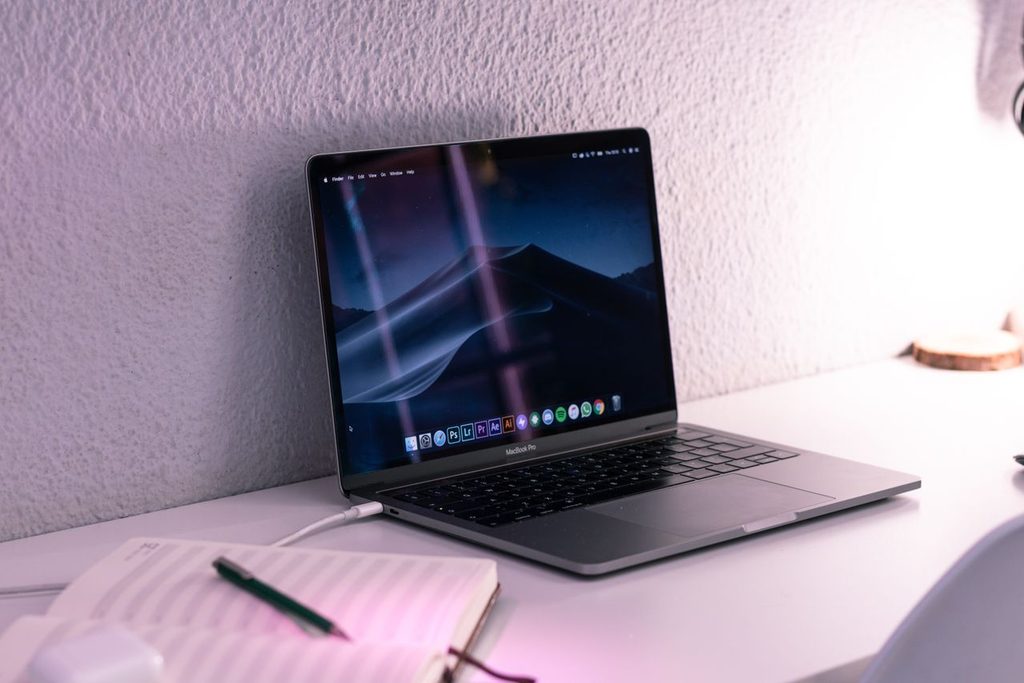
The 14-inch OLED panel is arguably the OmniBook 5’s biggest visual advantage.
With a 1,920-by-1,200 resolution and a 16:10 aspect ratio, the screen offers a useful amount of vertical workspace without becoming excessively large. The 16:10 format is particularly welcome for productivity because documents and webpages generally fit more naturally than they do on older 16:9 panels.
Resolution is not exceptional by modern premium-laptop standards, but OLED technology changes the experience substantially. OLED delivers extremely deep blacks, strong contrast, and vibrant colors. Photos, streaming video, presentations, and everyday Windows graphics therefore look considerably richer than they would on a basic budget LCD.
The trade-off is the 60Hz refresh rate. That’s perfectly adequate for office applications, browsing, video playback, and schoolwork, but it doesn’t deliver the smoother scrolling and animation found on 90Hz, 120Hz, or faster laptop displays.
There’s also no standard touch capability on the referenced configuration, although touch is available as an option. Buyers who specifically want tablet-style interaction should therefore verify the exact configuration before purchasing.
Overall, the display is better described as premium in quality rather than specification. You aren’t getting an ultra-high-resolution or high-refresh panel, but the OLED technology gives everyday content a visual upgrade that matters much more than a spec sheet alone might suggest.
Performance Analysis
Performance is where it is important to understand what the OmniBook 5 is designed to be.
The Snapdragon X Plus processor isn’t intended to compete with the highest-performance Intel, AMD, or Apple silicon found in workstation-class systems. Instead, Qualcomm’s platform emphasizes efficiency while providing enough processing capability for mainstream computing.
For typical workloads, that’s a sensible trade.
Web browsing, word processing, spreadsheets, email, online meetings, streaming, document management, and general multitasking are well within the laptop’s intended operating range. The 32GB RAM configuration is particularly generous for this category and provides plenty of headroom when multiple applications and browser tabs are open.
This is one area where the OmniBook 5 could actually feel faster than a more powerful laptop in daily use: its performance is sufficient for common tasks, while its low-power platform allows it to remain cool, quiet, and remarkably efficient.
The limitations become more apparent as workloads get heavier.
If you’re editing large video projects, working extensively with 3D applications, compiling large software projects, processing massive datasets, or performing other sustained CPU-intensive tasks, the OmniBook 5 isn’t the machine to buy. Its design favors responsiveness and longevity rather than maximum throughput.
The integrated Qualcomm Adreno X1-45 graphics processor reinforces that positioning. It can handle normal graphical acceleration and everyday visual workloads, but this isn’t a substitute for a laptop equipped with a dedicated Nvidia GeForce RTX or AMD Radeon GPU.
Windows-on-Arm Compatibility
The Snapdragon platform introduces another consideration: application compatibility.
Windows on Arm has matured significantly, but software compatibility remains more important than it would be on a conventional x86 Windows laptop. Many mainstream applications run normally, either natively or through Microsoft’s compatibility technology, but specialized legacy applications, unusual utilities, drivers, and certain professional programs can behave differently.
For someone who primarily uses Microsoft 365, browsers, communication applications, streaming services, and modern productivity software, this may never become an issue.
For professionals dependent on specialized Windows applications, however, compatibility should be checked before purchasing.
That is arguably the biggest caveat attached to an otherwise excellent everyday laptop.
Battery Life
Battery endurance is the OmniBook 5 14’s defining characteristic.
The supplied test result of 34 hours and 48 minutes is extraordinary. Even allowing for the fact that real-world battery life varies substantially depending on screen brightness, applications, wireless activity, and workload, this is a laptop built around efficiency.
For a normal workday, that means the charger can often stay at home.
For students, it could mean several days of intermittent classroom use before needing to recharge. For travelers, it dramatically reduces the anxiety associated with finding an outlet. For office workers, it provides flexibility to move between meetings and workspaces without constantly monitoring the battery percentage.
Of course, no battery benchmark should be interpreted as a promise of 34 hours of every type of computing. Intensive workloads will drain the battery much faster than local video playback. Nevertheless, the result demonstrates the fundamental strength of Qualcomm’s low-power architecture: exceptional efficiency when the system isn’t being pushed aggressively.
If battery life is near the top of your buying checklist, the OmniBook 5 deserves serious attention.

Connectivity and Everyday Usability
The OmniBook 5 uses USB-C connectivity rather than providing the Thunderbolt 4 ports associated with Intel-based premium laptops. That’s not surprising given the Qualcomm platform.
The available USB-C connections remain versatile, but users with a collection of legacy USB-A accessories or specialized docking equipment may need adapters or a hub.
Wireless connectivity is more straightforward. Wi-Fi 6E provides modern wireless performance, while Bluetooth 5.3 handles compatible peripherals such as headphones, mice, and keyboards.
The 1080p webcam and IR authentication are particularly practical additions. A good webcam is no longer a luxury for many laptop buyers; remote meetings, online classes, and hybrid work have made it an everyday requirement.
Pros and Cons
Pros
- Exceptional battery endurance that dramatically exceeds what most conventional laptops offer.
- Excellent OLED display with vibrant colors and deep blacks.
- 32GB RAM and 1TB SSD provide a strong configuration for everyday productivity.
- Thin and lightweight design makes the laptop easy to carry.
- Competitive pricing gives it strong value when discounted.
- 1080p IR webcam supports better video calls and biometric login.
- Efficient Snapdragon processor is well suited to everyday Windows workloads.
- Quiet, productivity-focused experience rather than unnecessary performance overhead.
Cons
- Windows-on-Arm compatibility can still be an issue with certain applications and peripherals.
- Integrated graphics aren’t appropriate for serious gaming.
- 60Hz display feels conservative compared with modern 120Hz ultraportables.
- Keyboard deck flex takes away from the otherwise premium feel.
- No Thunderbolt 4 because of the Qualcomm platform.
- Not designed for demanding professional workloads such as high-end video production or 3D rendering.
Who Is This For?
Students
The OmniBook 5 makes considerable sense for high-school and college students. Its low weight makes it easy to carry around campus, while the OLED display improves everything from lecture notes to streaming video.
The huge battery advantage is arguably even more important. Students frequently move between classrooms, libraries, dorms, cafés, and study spaces, where outlets aren’t always convenient.
Office and Remote Workers
For email, Microsoft Office, web applications, video conferencing, document editing, and general productivity, this laptop is exceptionally well matched.
Its combination of 32GB RAM and efficient processing means it should remain comfortable with a substantial collection of applications and browser tabs open.
Frequent Travelers
This is perhaps the OmniBook 5’s strongest audience. The sub-three-pound weight is manageable in a travel bag, while the exceptional battery life reduces dependence on airport and airplane power outlets.
Home Users
If your computer usage consists mainly of browsing, online shopping, managing finances, streaming, communicating with friends and family, and occasional photo editing, spending substantially more on a high-performance laptop would be difficult to justify.
AI and Copilot+ Enthusiasts
The Snapdragon platform provides the hardware foundation required for Microsoft’s Copilot+ PC features. Buyers interested in exploring modern local and cloud-assisted AI functionality therefore get a capable starting point.
That said, buyers shouldn’t purchase the laptop solely because it carries an AI-PC label. For most people, the more meaningful advantages are its efficiency, battery life, and everyday performance.
Who Should Look Elsewhere?
The OmniBook 5 isn’t the universal answer to every laptop requirement.
Serious gamers should choose a machine with a dedicated graphics processor. Even an affordable gaming laptop with an Nvidia GeForce RTX GPU will be dramatically better suited to demanding 3D games.
Professional creators working extensively with high-resolution video, 3D modeling, advanced visual effects, or other GPU-heavy applications should consider a system with substantially more graphics horsepower.
Power users dependent on specialized Windows software should investigate Arm compatibility carefully before purchasing. A conventional x86 Windows laptop may provide greater software certainty.
Finally, users who place a high priority on smooth scrolling and animation may prefer a 120Hz or faster laptop display.
Value for Money
The OmniBook 5’s value proposition becomes particularly attractive when its price approaches the lower end of the mainstream laptop market.
The combination of an OLED display, 32GB of RAM, 1TB storage, a lightweight chassis, and exceptional battery endurance would normally make a laptop feel distinctly premium. HP’s aggressive pricing changes that equation.
The biggest question is therefore not whether the hardware is good enough—it clearly is for its intended audience—but whether the software you depend on works properly on Snapdragon-based Windows.
If compatibility checks out, the OmniBook 5 can deliver a premium everyday experience without requiring a premium-level budget.
Final Verdict
The HP OmniBook 5 14 succeeds because it understands what most laptop buyers actually need.
It doesn’t try to be a gaming powerhouse. It isn’t a workstation. It doesn’t chase benchmark records. Instead, it delivers a balanced everyday computing experience centered on portability, display quality, sufficient performance, and extraordinary battery life.
The 34-hour-plus battery result is the headline feature, but it isn’t the only reason to consider this machine. The OLED display gives the laptop a more luxurious visual experience, 32GB of memory provides generous multitasking capacity, and the lightweight chassis makes it genuinely convenient to carry.
Its weaknesses are equally clear. The 60Hz screen is ordinary in terms of refresh rate, the plastic keyboard deck isn’t as rigid as we’d like, and the integrated graphics solution limits the system’s suitability for gaming and demanding creative applications. Most importantly, prospective buyers should make sure their essential software is compatible with Windows on Arm.
For the majority of people who use a laptop for web browsing, schoolwork, office productivity, streaming, communication, light creative work, and general computing, those limitations are relatively easy to accept.
Verdict: The HP OmniBook 5 14 is one of the most compelling everyday Windows ultraportables of 2026, particularly for buyers who value battery life above raw performance. It isn’t the laptop for everyone, but for the right user, its combination of OLED quality, portability, generous memory, sensible performance, and exceptional endurance makes it an unusually easy recommendation.