

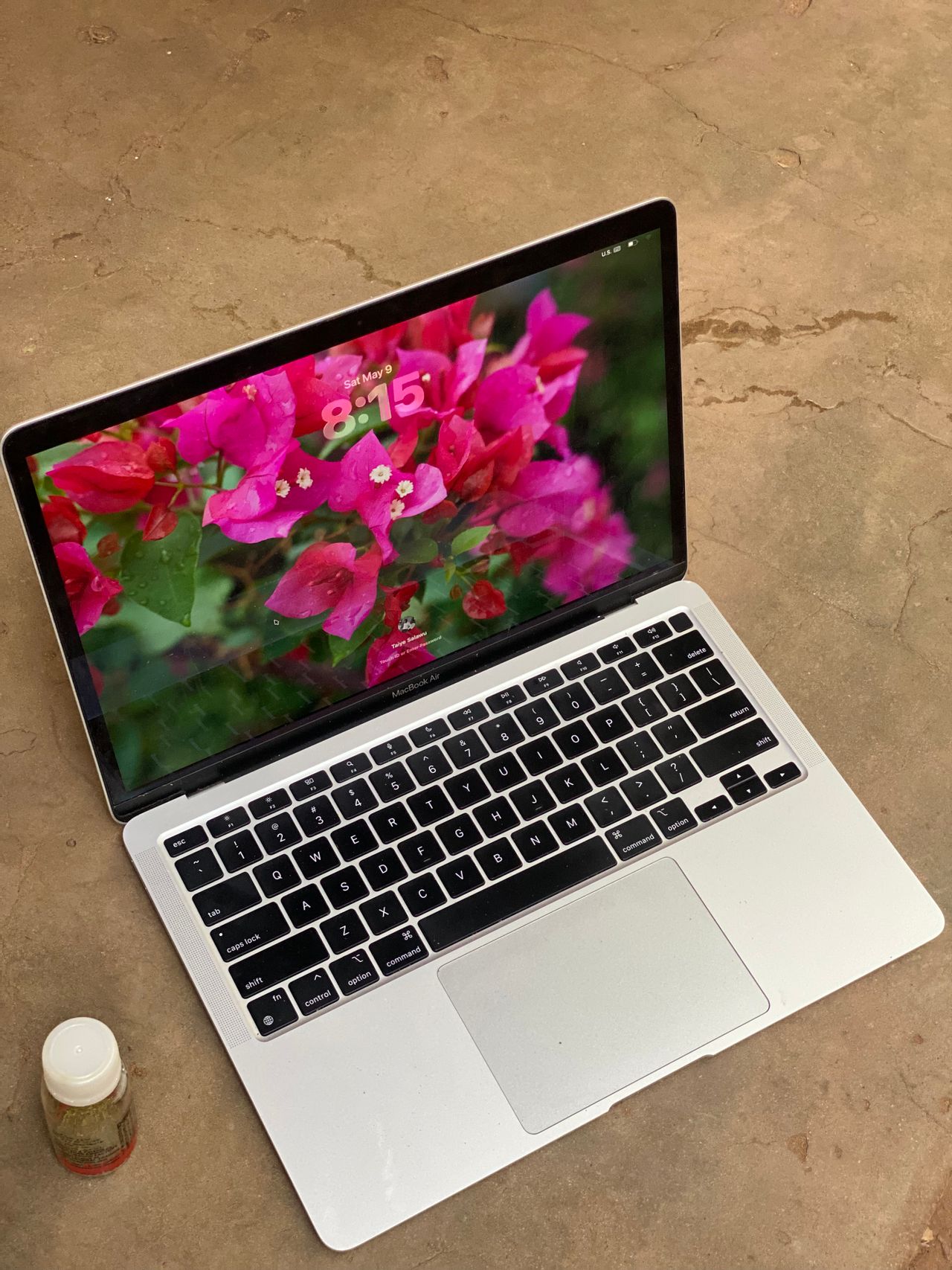
Apple MacBook Air 13-inch M4 review: Cheaper and better
Review: Apple 13-Inch MacBook Air (M4) — High Performance Meets Better Value
Table of Contents
The 13-inch M4 MacBook Air marks a significant leap forward, offering the precise hardware upgrades users have anticipated, combined with a welcome price adjustment.
The Verdict
The Apple MacBook Air 13-inch M4 establishes a fresh benchmark for mainstream laptops. By lowering the entry price while simultaneously boosting processing speeds and upgrading the camera, Apple has crafted an incredibly high-value machine.
Pros & Cons
- + Highly competitive $999 starting price
- + Exceptional computing performance
- + Over 15 hours of real-world battery life
- + Bright, color-accurate Liquid Retina display
- + Crisp, responsive typing experience
- + Superb upgraded webcam
- – Minimal port selection
- – Component upgrades remain expensive
Price and Configuration Options
The most significant news regarding the M4 MacBook Air is its $100 price reduction across all standard tiers. In an industry where hardware costs are consistently climbing, Apple has reversed course. Furthermore, the base model retains the 16GB RAM standard that Apple rolled out previously, making the entry-level machine a highly viable option.
Tier Breakdown
- The Base Model ($999): Outfitted with an M4 chip (10-core CPU/8-core GPU), 16GB of unified memory, and a 256GB SSD.
- The Sweet Spot ($1,199 – As Reviewed): Doubles the solid-state storage to 512GB and steps up to a fully unbinned M4 chip featuring a 10-core CPU and 10-core GPU.
Storage Tip: Upgrading to the 512GB tier does more than just give you extra room for files—laboratory testing shows its SSD write speeds are roughly 80% faster than the base 256GB drive.
Students, parents, and educators can also take advantage of Apple’s Education Store to slash an additional $100 off these retail prices.
Design and Portability
Visually, the M4 model retains the modern, flat-chassis aesthetic of its predecessor. The singular aesthetic change is the introduction of a “Sky Blue” colorway, replacing Space Gray. However, the hue is incredibly subtle—looking virtually identical to traditional silver unless placed directly under specific lighting next to an actual silver chassis.
At just 2.7 pounds and 0.44 inches thick, it remains one of the most portable premium ultraportables on the market:
| Laptop Model | Weight | Dimensions |
| MacBook Air 13-inch M4 | 2.7 lbs | 12.0 x 8.46 x 0.44 inches |
| Lenovo Yoga Slim 7x | 2.8 lbs | 12.8 x 8.80 x 0.51 inches |
| Asus Zenbook 14 OLED | 3.0 lbs | 12.3 x 8.70 x 0.60 inches |
The Port Situation
Connectivity remains minimalist. The left side houses a MagSafe 3 charging port and two Thunderbolt 4 / USB 4 ports. The right side hosts a solitary 3.5mm audio jack. Keeping all data ports packed tightly onto one side can make cable management tight if you utilize multiple accessories simultaneously.
Display, Keyboard, and Sound
The Screen
The laptop utilizes a 13.6-inch (2560 x 1664) Liquid Retina LCD panel. While it eschews modern OLED or high-refresh-rate trends, the panel is remarkably sharp and hits an impressive average brightness of 463 nits. Colors are accurate and rich enough for everyday media consumption and productivity, even when working near bright windows.
The Inputs
Despite a shallow 1mm key travel distance, the keyboard feels tactile and snappy. It allows for quick, error-free typing without finger fatigue. The 5 x 3.1-inch force-touch trackpad remains incredibly precise, providing ample room for macOS multi-finger gestures without getting in the way of your palms.
The Audio
The internal four-speaker setup supports Spatial Audio. While deeply resonant bass is structurally restricted by the thin chassis, the audio profile is incredibly wide, crisp, and capable of filling a room without distorting at maximum volume.
Benchmarks and Performance
The transition to the M4 processor delivers a major performance bump, particularly over older M-series chips, keeping Apple well ahead of competing Windows-on-ARM machines.
Performance Data At a Glance
- Geekbench 6 (Overall Power): 14,849
- HandBrake Video Render (4K to 1080p): 5 minutes, 40 seconds (A full 2-minute speed increase over the M3 model)
- Thermal Efficiency: Under heavy loads, the hottest point on the chassis maxed out at just 85.2°F, remaining well below the 95°F threshold for comfortable lap use.
Battery Life
Battery endurance remains stellar. In standard continuous web-browsing tests at 150 nits of brightness, the 13-inch M4 Air lasted an outstanding 15 hours and 30 minutes, ensuring true all-day freedom from wall chargers.
Gaming Limitations
Though graphics capabilities are steadily improving on Mac hardware, this is not a dedicated gaming rig. Older titles like Shadow of the Tomb Raider run smoothly at just over 30 FPS at 1080p, but modern, graphically intensive AAA titles will struggle.
Upgraded Webcam and AI
- 12MP Center Stage Camera: A massive leap over older built-in webcams. It handles harsh overhead glares and backlighting excellently without blowing out image details. It also supports Desk View, which digitally maps your desktop area to show physical tasks on screen.
- Apple Intelligence: Backed by the M4’s Neural Engine, the system natively supports system-wide writing tools, smart notifications, notification summaries, ChatGPT-integrated Siri upgrades, and image generation mechanics like Genmoji.
Conclusion
The 13-inch M4 MacBook Air echoes the value proposition that made the original M1 model a classic. By combining a lower price point with standard 16GB RAM, all-day battery life, and high-tier processing power, Apple has built the quintessential everyday laptop for the vast majority of consumers.