

Apple MacBook Pro 14-Inch Review
Review: The 14-Inch Apple MacBook Pro (M1 Pro)
When Apple introduced its custom M1 silicon, it completely transformed the entry-level Mac ecosystem, giving the ultraportable MacBook Air massive performance gains. However, that left the older 13-inch MacBook Pro in an awkward position—it cost more but packed the exact same processing muscle.
Apple completely rewrote that script with the 14-inch MacBook Pro. By introducing an entirely new footprint, a vastly superior chip architecture, the return of legacy ports, and a groundbreaking display, Apple built the exact powerhouse machine that creative professionals had been waiting for.
14-Inch vs. 16-Inch: Making the Right Choice
Table of Contents
If you are a macOS-bound power user with the budget for a high-end workstation, you can safely skip the baseline 13-inch models. Your real decision comes down to a choice between the 14-inch and 16-inch variants.
Because Apple’s configuration options are nearly identical across both sizes, your choice boils down to a simple trade-off: size, weight, and price.
- The 16-Inch Model: Ideal if you absolutely require maximum screen real estate and don’t mind hauling around a bulkier, 4.8-pound chassis.
- The 14-Inch Model: Weighing in at 3.5 pounds and measuring 0.61 inches thick, this model strikes a near-perfect balance between high-end performance and mobility. It is noticeably more compact than rival 15-inch Windows workstations, which frequently push past the 4-pound mark.
Note on Performance: While a larger laptop chassis theoretically allows for superior thermal cooling during prolonged heavy workloads, tests show that under the majority of real-world creative workflows, the performance delta between the two sizes is practically negligible.
The Reshuffle: Ports and Inputs Make a Comeback
After half a decade of forcing users into a single-cable USB-C lifestyle, Apple listened to the collective outcry of creative professionals and restored crucial native inputs.
- Legacy Layouts: The dedicated HDMI output and an SD card reader make a triumphant return, completely eliminating the need for awkward dongles when plugging into external monitors or importing raw camera footage.
- MagSafe 3: The magnetic power connector returns to protect your laptop from accidental trips over the charging cord. It also frees up a Thunderbolt port that would otherwise be occupied by a power cable.
- Thunderbolt 4: You get three high-speed Thunderbolt 4/USB-C ports alongside a classic 3.5mm headphone jack.
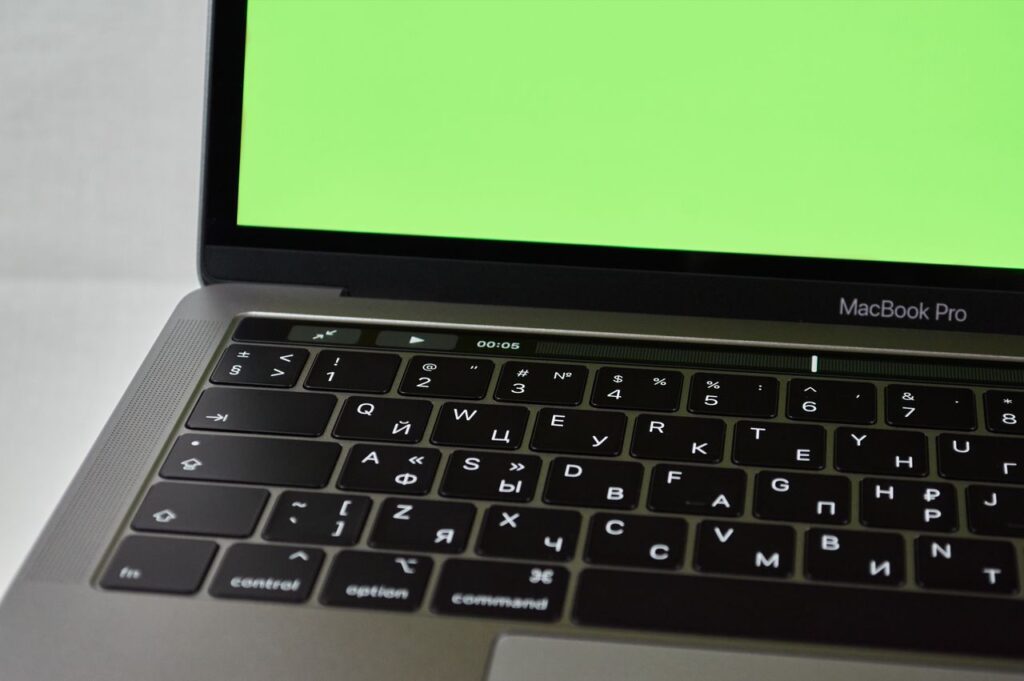
Good riddance to the Touch Bar
Apple officially retired the controversial, touch-enabled Touch Bar. In its place sits a reliable, full-sized row of physical function keys, including a dedicated Escape key for programmers. The power button still pulls double duty with an integrated Touch ID biometric sensor for secure fingerprint logins.
Liquid Retina XDR: A Masterclass in Display Technology
Beyond the updated internals, the display panel is arguably this machine’s most striking visual upgrade. Featuring Apple’s Extreme Dynamic Range (XDR) technology, it introduces two major structural updates:
1. 120Hz ProMotion Refresh Rates
Borrowed from the iPad and iPhone lineups, this adaptive technology doubles the traditional 60Hz laptop standard. Web browsing and timeline scrolling feel incredibly fluid. Users can also lock down specific refresh rates under system preferences to match the exact frame rates of the video project they are editing.
2. Mini-LED Backlighting
By utilizing thousands of microscopic LEDs split into distinct local dimming zones, the screen achieves an astounding 1,000,000:1 contrast ratio. When viewing optimized HDR content, local peak brightness can soar up to a blinding 1,600 nits, ensuring exceptionally bright whites and perfectly inky blacks.
The Screen Notch and High-Fidelity Audio
To shrink the screen bezels down as far as possible, Apple implemented a smartphone-style camera notch along the top edge of the screen. While it can be visually obtrusive when using a light-colored desktop theme with a white menu bar, it completely blends away under dark mode or when watching full-screen 16:9 video content.
The payoff for that notch is a highly capable 1080p FaceTime HD camera. Backed by custom image processing algorithms, it handles low-light video calls brilliantly, far outpacing the fuzzy 720p webcams found on older notebooks.
Complementing the webcam is an elite six-speaker audio setup featuring four force-cancelling woofers. Bolstered by Spatial Audio, the sound stage is remarkably wide and immersive, easily punching above what you would expect from a chassis of this footprint.
M1 Pro Performance Benchmark Overview
The silicon architecture represents a massive generational leap over standard consumer hardware. The platform splits performance tasks across high-efficiency and high-performance cores to deliver workstation-grade speed without destroying battery life.
| Feature / Metric | MacBook Pro 14″ Baseline Specs | Performance Takeaways |
| Processor | Apple M1 Pro (Up to 10 CPU cores / 16 GPU cores) | Effortlessly matches or outpaces bulkier Intel Core i9 / Xeon Windows workstations in multi-threaded workflows like 3D rendering (Blender) and video encoding (Handbrake). |
| Graphics Muscle | 14 to 16 Core Integrated GPU | Offers superb acceleration for creative suites and video editing. While it can handle heavy GPU benchmarks, it remains a creative machine first rather than a dedicated AAA gaming rig. |
| Battery Lifespan | Up to 19 Hours of continuous video playback | Absolutely decimates traditional Windows workstations and gaming laptops, which typically exhaust their batteries within a few hours. |
The Final Verdict
The 14-inch MacBook Pro marks a definitive turning point for Apple’s pro-tier notebooks. It occupies a highly coveted sweet spot: it is drastically more capable than baseline consumer ultraportables, yet noticeably more affordable and portable than the massive 16-inch version.
If your daily routine consists of casual productivity like web browsing, emails, and basic document editing, this machine is total overkill—you will be much happier saving your cash and picking up a lighter MacBook Air. But if you are a professional content creator looking for uncompromised mobile power, superb battery endurance, and top-tier I/O flexibility, the 14-inch MacBook Pro is an absolute no-brainer upgrade.