

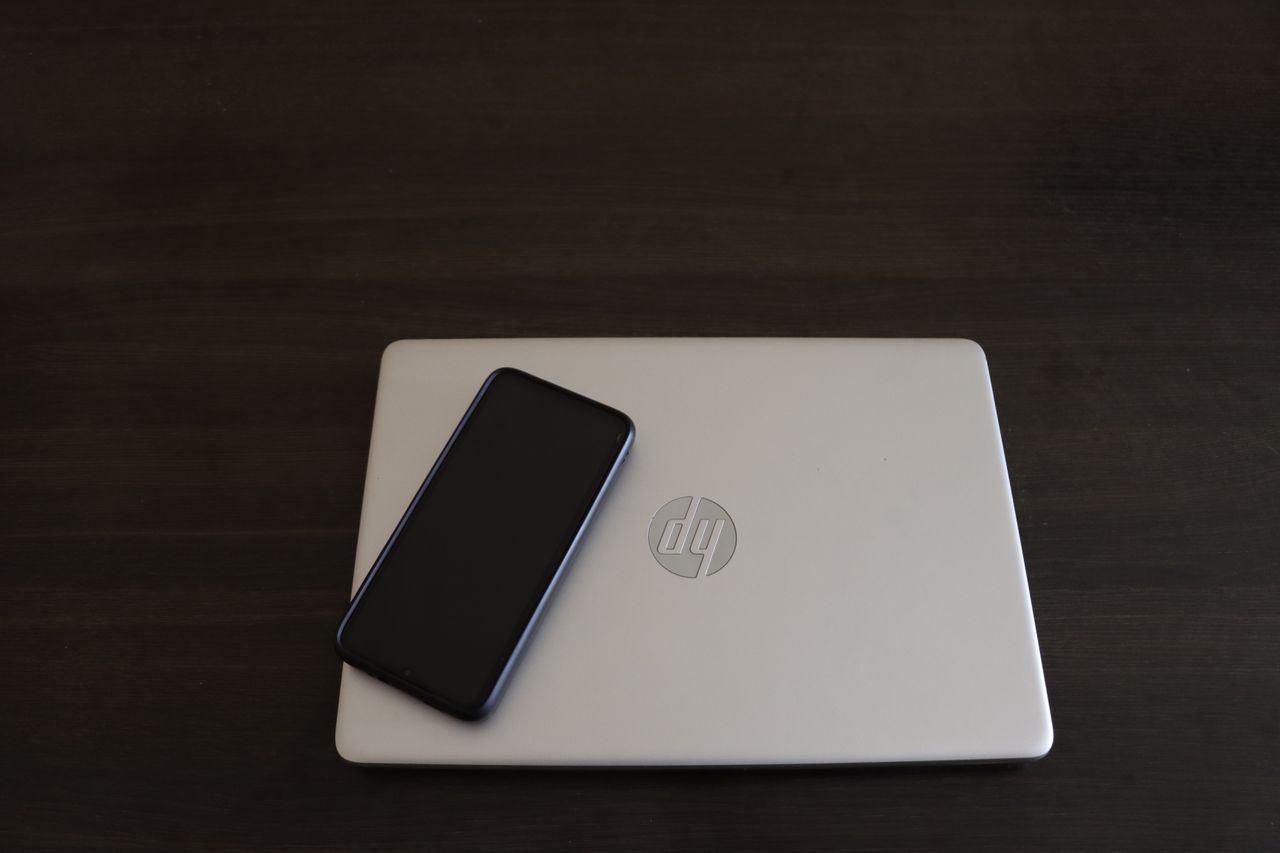
HP – 15.6″ Touch-Screen Full HD Laptop – Intel Core i7 – 16GB Memory – 512GB SSD – Natural Silver
Table of Contents
The HP 15.6-inch Touch-Screen Full HD Laptop is a mainstream Windows notebook designed around a familiar combination of features: a relatively large 15.6-inch display, touch input, an Intel Core i7 processor, 16GB of memory, and a 512GB SSD. On paper, that gives it a balanced configuration for everyday productivity, multitasking, entertainment, and general home or office computing.
This particular configuration is identified by model number 8L708UA#ABAS and SKU 6550427. The product was listed by Best Buy with a 4.6/5 rating from 2,375 reviews, although it is important to note that the retailer currently indicates that this specific item is no longer available in new condition.
That availability detail matters for prospective buyers. The hardware combination can still be evaluated on its merits, but anyone considering purchasing this model today should pay close attention to the condition, warranty, return policy, and asking price of any remaining or refurbished inventory.
Key Specifications
| Specification | Details |
|---|---|
| Brand | HP |
| Display | 15.6-inch touch-screen |
| Display resolution | Full HD |
| Processor | Intel Core i7 |
| Memory | 16GB |
| Storage | 512GB SSD |
| Operating system | Windows |
| Color | Natural Silver |
| Model | 8L708UA#ABAS |
| Best Buy SKU | 6550427 |
| Listed customer rating | 4.6/5 from 2,375 reviews |
| Current new-condition availability | No longer available in new condition |
The configuration is particularly notable for its 16GB of RAM and 512GB SSD. Those are sensible capacities for a general-purpose Windows laptop because they avoid two common compromises in inexpensive notebooks: insufficient memory for multitasking and slow, cramped storage.
Design and Everyday Usability
HP’s Natural Silver finish gives the machine a conventional, understated appearance. Rather than positioning itself as an ultra-portable premium notebook or a specialized gaming machine, this laptop belongs firmly in the practical mainstream category.
The 15.6-inch form factor is useful for people who prioritize screen space over maximum portability. A display of this size provides considerably more room for documents, spreadsheets, browser tabs, and media than smaller 13- or 14-inch laptops. It can also make multitasking more comfortable because windows have more physical space on the desktop.
The trade-off is straightforward: a 15.6-inch laptop is generally less convenient to carry around than a compact notebook. For someone moving between classrooms, offices, cafés, and other locations throughout the day, size and weight can matter considerably. For a user who mostly works at a desk or moves the computer occasionally, the larger chassis can be a practical advantage.
The touch-screen interface is another significant feature. Touch support can make Windows navigation, scrolling, selecting objects, and interacting with certain applications more intuitive. It can also be useful for casual browsing and media consumption when you want to interact directly with the screen rather than relying entirely on the touchpad or mouse.
However, touch capability should be viewed as an additional input method rather than a substitute for a dedicated tablet. For lengthy typing sessions, spreadsheets, programming, and precision work, a conventional keyboard and pointing device remain more practical.
Display Performance
The Full HD resolution is well suited to a 15.6-inch productivity laptop. At 1920 × 1080, the display provides enough workspace for everyday Windows applications while maintaining the familiar 16:9 format commonly used for video content.
For office work, Full HD is a sensible baseline. Documents should have adequate room for multiple sections, while spreadsheets can display a useful number of rows and columns without requiring an excessively low resolution.
The touch functionality adds another layer of usability. It is especially convenient for browsing, scrolling through long pages, viewing photos, and navigating touch-friendly Windows applications.
There are, however, limits to what can be concluded from the supplied specifications. The reference information does not provide details about brightness, color gamut, refresh rate, panel technology, HDR support, or viewing angles. Consequently, it would be inappropriate to describe the screen as suitable for professional color-critical work or to make claims about outdoor visibility without additional testing.
For everyday computing, though, the combination of 15.6 inches, Full HD, and touch input gives the laptop a versatile foundation.
Detailed Performance Analysis
Intel Core i7 Processor
The Intel Core i7 designation places this configuration above entry-level processors within Intel’s consumer lineup, but the exact Core i7 generation and model are not specified in the supplied information. That distinction is important because performance can vary significantly between different generations and processor families carrying the Core i7 name.
Still, the configuration suggests a laptop aimed at users who expect more than basic web browsing. Typical workloads such as word processing, presentations, email, research, web applications, and general multitasking should be well aligned with this class of hardware.
The processor should also pair effectively with the system’s 16GB of memory. Instead of having the CPU constantly waiting on limited system resources during ordinary multitasking, the configuration provides a comfortable amount of RAM for running several applications simultaneously.
16GB of RAM
The 16GB memory capacity is arguably one of this laptop’s strongest specifications for long-term everyday usability.
Modern Windows workflows can consume considerable memory when a user has numerous browser tabs, communication applications, office programs, cloud services, and background processes running simultaneously. Sixteen gigabytes gives the system considerably more breathing room than an 8GB configuration.
For students, office workers, researchers, and home users, this means the laptop should be capable of handling realistic multitasking without requiring users to constantly close applications simply to conserve memory.
It is also a more sensible capacity for buyers who expect to keep their laptop for several years. Software requirements tend to increase over time, so additional memory headroom can help preserve a responsive experience.
512GB SSD
The 512GB solid-state drive is another practical choice. SSD storage is preferable to traditional mechanical hard drives for a modern laptop because it generally provides faster system responsiveness, quicker application launches, and faster file access.
The 512GB capacity offers a useful middle ground. It is large enough for an operating system, productivity applications, documents, photos, and a reasonable collection of other files without immediately forcing the user to rely on external storage.
Heavy users should still monitor available capacity. Large video libraries, modern games, high-resolution media, and extensive project files can consume 512GB surprisingly quickly.
Because the reference does not specify the SSD’s interface, exact drive model, or measured read/write speeds, there is no basis for assigning a particular storage-performance figure. The important point is that this configuration uses SSD storage rather than presenting a slower traditional hard-drive setup.
Multitasking and Productivity
This is where the configuration makes the most sense.
A laptop combining an Intel Core i7 processor with 16GB of RAM and a 512GB SSD has the basic ingredients for a responsive productivity machine. Office applications, web browsing, video playback, email, document management, and similar workloads are natural use cases.
A student could use it for research while keeping numerous browser tabs open alongside documents and presentation software. An office worker could move between spreadsheets, email, word processing, and web-based business applications without working with an entry-level memory configuration.
For remote work, the larger 15.6-inch display is also useful. Video conferencing, document editing, and browser-based collaboration tools can be easier to manage when there is sufficient screen real estate.
That said, the absence of detailed graphics specifications means this review should not treat the machine as a dedicated gaming or professional graphics workstation. CPU and RAM specifications alone do not establish gaming performance, 3D rendering capability, or video-production performance.
Storage and General Responsiveness
The SSD should contribute significantly to the overall feeling of speed during everyday use. Startup, application launching, file access, and general navigation typically benefit from solid-state storage.
The combination of SSD storage and 16GB RAM is particularly sensible because it avoids relying on storage as a substitute for adequate memory. When a system runs short of RAM, Windows can use storage as virtual memory, but an SSD—even a fast one—is not a true replacement for sufficient physical RAM.
For ordinary users, therefore, this configuration represents a well-balanced approach: enough memory for multitasking and enough solid-state storage for everyday files and applications.
Pros and Cons
Pros
- 16GB of RAM: A strong capacity for everyday multitasking and Windows productivity.
- 512GB SSD: Provides useful storage capacity while supporting fast general system responsiveness.
- Intel Core i7: A higher-performance processor tier suitable for demanding everyday productivity workloads, although the exact generation is unspecified.
- 15.6-inch Full HD display: Provides a comfortable amount of screen space for work, browsing, and entertainment.
- Touch-screen functionality: Adds a convenient alternative to traditional mouse and touchpad navigation.
- Versatile configuration: The hardware is well suited to students, home users, and office workloads.
- Natural Silver finish: A straightforward design appropriate for professional and personal environments.
- Strong listed customer feedback: Best Buy’s supplied listing shows a 4.6/5 rating based on 2,375 reviews.
Cons
- Specific processor model is not provided: “Intel Core i7” alone does not reveal the exact generation or performance level.
- Display specifications are incomplete: Brightness, color coverage, refresh rate, and panel technology are not stated in the reference material.
- Not enough information for gaming evaluation: Graphics hardware is not specified.
- 15.6-inch size reduces portability: Users who frequently travel may prefer a smaller laptop.
- 512GB can be limiting for large media collections: Particularly for users storing many games, videos, or large creative projects.
- New-condition availability is limited: Best Buy currently states that this particular item is no longer available new.
Who Is This For?
The HP 15.6-inch Touch-Screen Full HD Laptop makes the most sense for users who want a general-purpose Windows computer with above-basic memory and storage specifications.
Students
Students can benefit from the combination of a large Full HD display and 16GB of RAM. Research, writing, presentations, online learning platforms, and multitasking are all natural applications for this configuration.
Home Users
For everyday home computing—web browsing, email, document creation, online services, photos, and entertainment—the hardware provides considerably more capability than a basic entry-level notebook.
Office and Remote Workers
The 15.6-inch display can be particularly useful for productivity. Users working with spreadsheets, documents, browser-based applications, and video meetings can benefit from having a larger workspace.
Multitaskers
If your normal workflow involves many browser tabs and several applications running simultaneously, 16GB of memory is a meaningful advantage.
Users Who Want Touch
The touch-screen display makes this configuration attractive to people who like having both traditional laptop controls and direct interaction with Windows.
On the other hand, this probably isn’t the right configuration to seek out specifically for high-end gaming, professional 3D work, or demanding GPU-accelerated creative workloads unless the exact graphics hardware is verified separately.
Final Verdict
The HP 15.6-inch Touch-Screen Full HD Laptop presents a well-rounded mainstream specification package. Its biggest strengths are not flashy extras but the practical combination of a 15.6-inch Full HD touch display, Intel Core i7 processor, 16GB of memory, and 512GB SSD storage.
The 16GB RAM and 512GB SSD are particularly appealing because they address two areas that can quickly make budget laptops feel restrictive. There is enough memory for serious multitasking, while the SSD should provide the responsive storage behavior expected from a modern Windows notebook.
The 15.6-inch Full HD touch display also gives the system broad appeal. It provides a larger workspace than compact laptops and adds touch interaction without abandoning the traditional notebook format.
There are some important unknowns, however. The supplied specifications do not identify the exact Core i7 processor, graphics hardware, display brightness, panel technology, battery capacity, or other details that would be necessary for a deeper hardware comparison. Buyers should verify those specifications before purchasing used or refurbished stock.
Most importantly, this particular model is no longer listed as available in new condition by Best Buy. That changes the buying equation. Rather than treating the original configuration as a current new-laptop recommendation, prospective buyers should evaluate any remaining units based on their condition, warranty, battery health, return policy, and price.
Overall, the hardware configuration remains attractive as a general-purpose productivity laptop. Its strengths lie in balanced everyday performance, ample memory, SSD storage, a large Full HD touchscreen, and broad usability rather than specialized performance. For the right buyer—particularly someone focused on work, study, browsing, and multitasking—it represents a sensible specification profile, provided the exact processor and other missing hardware details are confirmed before purchase.