

The Best Gaming Laptops for 2026
Writing
Introduction: Finding the Right Gaming Laptop in 2026
Table of Contents
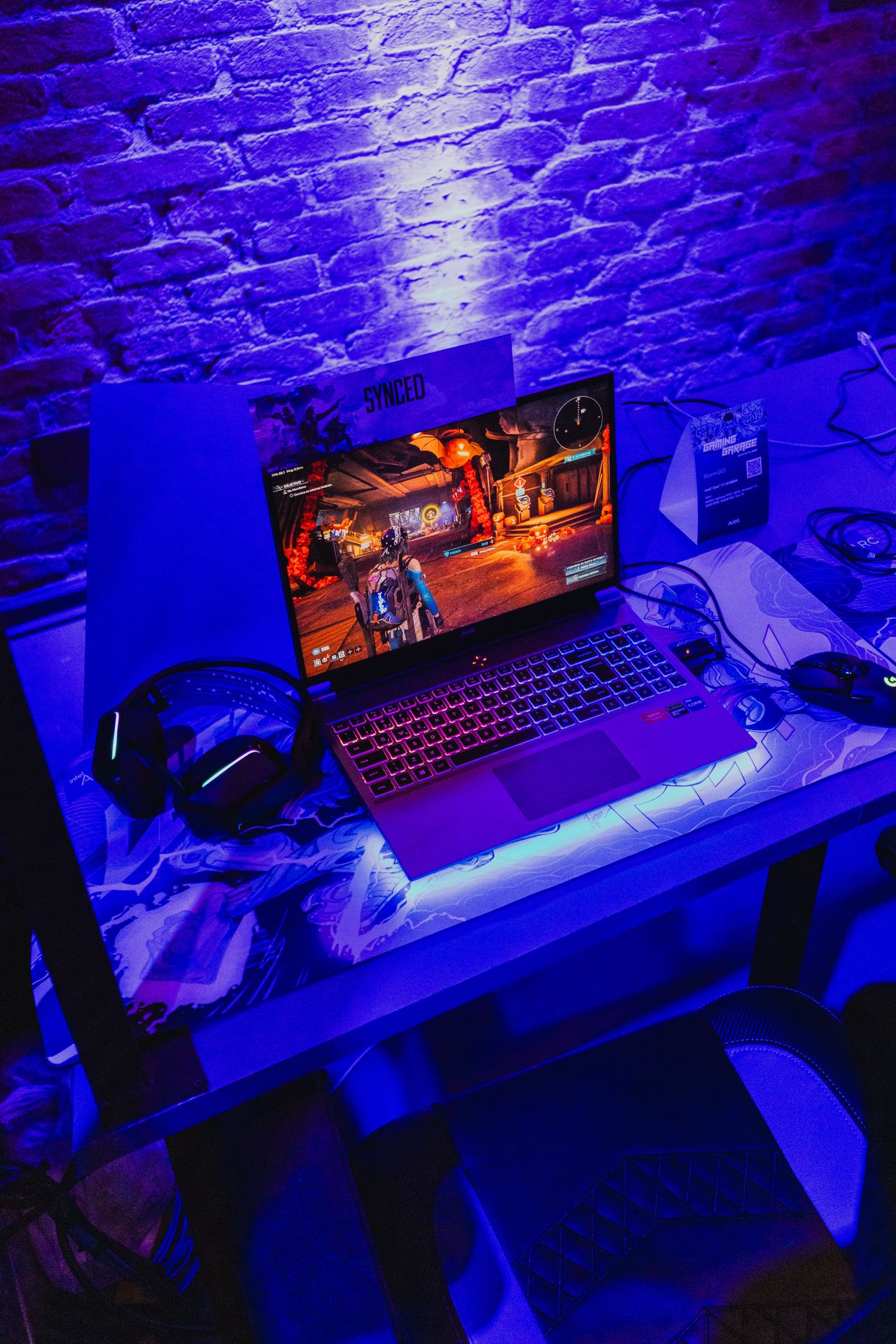
Gaming laptops have evolved into versatile performance machines capable of delivering impressive gaming experiences without requiring a dedicated desktop computer. Modern models combine powerful processors, discrete graphics cards, high-refresh-rate displays, and increasingly sophisticated cooling systems in designs ranging from compact 14-inch notebooks to substantial 18-inch desktop replacements.
However, choosing the right gaming laptop is more complicated than simply comparing processor names or graphics card numbers. Display quality, graphics power limits, memory capacity, storage space, thermal performance, battery endurance, and overall build quality can significantly influence the experience. Two laptops equipped with the same graphics processor may deliver noticeably different gaming results because of differences in cooling and power management.
The 2026 gaming laptop market offers compelling options across several price categories. Budget systems such as the MSI Katana 15 HX and Acer Nitro V 16 AI demonstrate that enjoyable modern gaming does not necessarily require a premium investment. Meanwhile, the Asus ROG Strix Scar 16 and MSI Raider 18 HX AI target enthusiasts who prioritize maximum performance. For users who need portability or professional versatility, the Razer Blade 14 and Blade 18 provide alternative approaches to balancing power and mobility.
This review examines eight notable gaming laptops, evaluating their specifications, practical performance, strengths, weaknesses, and suitability for different types of users. The goal is to help prospective buyers identify the model that best matches their gaming habits, budget, and everyday computing requirements.
1. Overview of the Eight Best Gaming Laptops
The selected laptops address different needs rather than competing directly in every category.
- Best overall value: MSI Katana 15 HX
- Best midrange large-screen option: Gigabyte Gaming A18
- Best premium gaming experience: Asus ROG Strix Scar 16 (G635LW)
- Best high-performance desktop replacement: MSI Raider 18 HX AI
- Best affordable large-screen laptop: Acer Nitro V 16 AI
- Best portable gaming laptop: Razer Blade 14 (2025)
- Best design-focused gaming laptop: Alienware 16X Aurora
- Best gaming and content creation crossover: Razer Blade 18 (Intel Core Ultra 9 275HX)
These recommendations reflect the supplied product specifications and review findings. Prices and configurations can change between retailers, so buyers should confirm the precise configuration available before purchasing.
2. Key Specifications Table
The following table summarizes the tested configurations described in the reference material. Storage capacities are shown in gigabytes (GB) or terabytes (TB), and memory figures represent installed system RAM rather than graphics memory.
| Laptop | Processor | Graphics processor | RAM | Storage | Display | Weight |
|---|---|---|---|---|---|---|
| MSI Katana 15 HX | Intel Core i7-14650HX | GeForce RTX 5050, 8GB | 16GB | 512GB SSD | 15.6-inch, 1920 × 1080, 144Hz IPS | 5.29 lb |
| Gigabyte Gaming A18 | AMD Ryzen 7 260 | GeForce RTX 5070, 8GB | 32GB | 1TB SSD | 18-inch, 2560 × 1600, 165Hz IPS | 6.17 lb |
| Asus ROG Strix Scar 16 | Intel Core Ultra 9 275HX | GeForce RTX 5080, 16GB | 32GB | 2TB SSD | 16-inch, 2560 × 1600, 240Hz Mini LED | 6.28 lb |
| MSI Raider 18 HX AI | Intel Core Ultra 9 285HX | GeForce RTX 5080, 16GB | 64GB | 2TB primary + 2TB secondary SSD | 18-inch, 3840 × 2400, 120Hz | 7.94 lb |
| Acer Nitro V 16 AI | AMD Ryzen 5 240 | GeForce RTX 5050 | 16GB | 512GB SSD | 16-inch, 1920 × 1200, 180Hz IPS | 5.38 lb |
| Razer Blade 14 (2025) | AMD Ryzen AI 9 365 | GeForce RTX 5070, 8GB | 32GB | 1TB SSD | 14-inch, 2880 × 1800, 120Hz OLED | 3.6 lb |
| Alienware 16X Aurora | Intel Core Ultra 7 255HX | GeForce RTX 5060, 8GB | 16GB | 1TB SSD | 16-inch, 2560 × 1600, 240Hz IPS | 5.66 lb |
| Razer Blade 18 | Intel Core Ultra 9 275HX | GeForce RTX 5090, 24GB | 64GB | 2TB primary + 2TB secondary SSD | 18-inch, 3840 × 2400, dual-mode 240Hz/440Hz | 7.06 lb |
Important specification note: The reference material does not provide every detail for every model, and some specifications may differ between configurations. In particular, the Gigabyte Gaming A18 is available with different graphics options, while the Razer Blade 18’s dual-mode display switches between 4K at 240Hz and a lower-resolution 1200p mode at 440Hz. The exact panel and graphics configuration should be verified at purchase.
3. Detailed Performance Analysis
MSI Katana 15 HX: A Practical Entry Point for PC Gaming
The MSI Katana 15 HX is a strong candidate for buyers who want dedicated gaming graphics without moving into expensive premium territory. Its Intel Core i7-14650HX processor, 16GB of RAM, and Nvidia GeForce RTX 5050 graphics provide a balanced foundation for mainstream gaming and general productivity.
Its greatest strength is its focus on Full HD gaming. The 1920 × 1080 resolution places a manageable workload on the graphics processor, making it easier to achieve smooth frame rates than on a comparable laptop driving a substantially higher-resolution display. Nvidia’s DLSS technology and supported frame-generation features can further improve performance in compatible games.
The 144Hz display is another advantage. Compared with a conventional 60Hz panel, it can present motion more frequently, making fast-moving scenes and competitive gameplay appear smoother when the hardware can generate enough frames.
The laptop is also suitable for coursework, web browsing, office applications, and everyday multitasking. Its keyboard is comfortable, and the selection of connectivity options makes it a practical general-purpose computer.
Nevertheless, the compromises are apparent. The 512GB SSD can become restrictive after installing several large AAA games, and the display’s limited color coverage and modest brightness make it less attractive for professional visual work. Its plastic construction is functional rather than luxurious, while its 5.29-pound weight limits portability.
Performance assessment: The Katana 15 HX makes the most sense for players targeting 1080p gaming at a reasonable price. It prioritizes useful gaming performance over premium materials and display refinement.
Gigabyte Gaming A18: A Spacious Screen for Midrange Gaming
The Gigabyte Gaming A18 takes a different approach by emphasizing screen size and immersion. Its 18-inch, 2560 × 1600 IPS display offers considerably more workspace than conventional 15- or 16-inch laptops.
The tested configuration pairs an AMD Ryzen 7 260 processor with an RTX 5070 Laptop GPU and 32GB of RAM. This combination is suitable for demanding modern games, multitasking, and general creative applications. The higher resolution also makes detailed environments and text appear sharper than they do on a standard Full HD panel.
The 165Hz refresh rate is a useful compromise between visual smoothness and the graphics demands of a high-resolution screen. Competitive games and less demanding titles can benefit substantially from the panel’s faster refresh capabilities, although intensive AAA games may require reduced settings or upscaling to maintain high frame rates.
One of the A18’s most attractive features is its display quality. The supplied review measurements indicate complete sRGB coverage, approximately 98% DCI-P3 coverage, and brightness reaching 326 nits. This makes the screen suitable for entertainment, gaming, and some amateur photo work.
Battery endurance is also impressive for a machine of this size. Its recorded video-playback result of 9 hours and 49 minutes is competitive for a large gaming laptop. Real-world gaming, however, will consume power much faster.
The main limitation is that the RTX 5070 operates under a relatively conservative power limit in this particular system. Graphics performance therefore does not necessarily match that of other laptops carrying the same GPU designation. Creative application performance also trails stronger premium alternatives.
Performance assessment: The Gaming A18 is ideal for users who want an immersive screen and competent gaming performance without paying flagship prices. It is less suitable for buyers seeking the highest possible frame rates at 1600p.
Asus ROG Strix Scar 16: Premium Performance With Enthusiast Features
The Asus ROG Strix Scar 16 is designed for users who want powerful gaming hardware and a premium display in a relatively manageable 16-inch format.
Its Intel Core Ultra 9 275HX processor, RTX 5080 Laptop GPU, 32GB of DDR5 memory, and 2TB SSD provide substantial resources for modern gaming. This configuration is also well suited to demanding multitasking, media production, and other processor-intensive workloads.
The graphics processor is the centerpiece. Compared with entry-level GPUs, the RTX 5080 offers considerably greater rendering capability, making higher resolutions, advanced graphical effects, and demanding games more practical. However, performance still depends on the individual game’s requirements, cooling, power limits, and use of upscaling technologies.
The 16-inch Mini LED display is another major selling point. Its 2560 × 1600 resolution provides a sharp image without imposing the full computational burden of 4K gaming. The 240Hz refresh rate is particularly attractive for competitive titles, while the reported 578-nit peak brightness and full sRGB and DCI-P3 coverage support a vivid viewing experience.
Asus also provides effective cooling and tool-free access to RAM and storage upgrades. These features increase the laptop’s long-term flexibility and make maintenance more convenient.
There are drawbacks. The chassis is relatively thick, the laptop weighs 6.28 pounds, and the fans can become loud under sustained loads. The illuminated lid and extensive RGB lighting may also be excessive for buyers who prefer understated designs.
Performance assessment: The Strix Scar 16 offers an excellent balance of high-end gaming power, display quality, and upgradeability. Its price is justified primarily for enthusiasts who will make regular use of those capabilities.
MSI Raider 18 HX AI: A Desktop Replacement With a 4K-Class Display
The MSI Raider 18 HX AI prioritizes maximum performance and a large viewing area over mobility. Its Intel Core Ultra 9 285HX processor, RTX 5080 graphics, 64GB of RAM, and combined 4TB of SSD storage place it firmly in the enthusiast category.
The 18-inch display has a resolution of 3840 × 2400 and supports a 120Hz refresh rate. This produces a highly detailed image with more vertical workspace than a conventional 4K UHD panel. The panel’s Mini LED backlighting is a notable attraction for users who value brightness, contrast, and vivid HDR-compatible content, although the supplied specifications identify the tested panel technology as IPS and do not establish every aspect of its HDR performance.
The powerful hardware is particularly useful for demanding games, multitasking, and intensive productivity applications. The reference testing reports strong general productivity and video-encoding performance, alongside competitive gaming results.
Cooling is essential in a system of this class. Powerful mobile processors and graphics chips can generate substantial heat, and sustained performance depends on the cooling system’s ability to maintain appropriate operating temperatures. The Raider’s substantial chassis allows room for the cooling hardware needed to support its components, although fan noise remains a noticeable compromise.
Connectivity is another strength. Thunderbolt 5 and Wi-Fi 7 provide modern high-speed connection options, while the two SSDs offer generous storage for large game libraries and media projects.
Its disadvantages are considerable: the laptop weighs nearly eight pounds, the chassis uses substantial plastic, the keyboard is merely adequate, and the fans can be loud. The recorded battery result of 5 hours and 37 minutes also reinforces its desktop-replacement role.
Performance assessment: The Raider 18 HX AI is a powerful choice for users who want a large, high-resolution screen and strong sustained performance in a single machine. It is not designed for frequent travel.
Acer Nitro V 16 AI: Budget Gaming With a Fast Display
The Acer Nitro V 16 AI demonstrates how much gaming capability is available at the lower end of the market. Its AMD Ryzen 5 240 processor, RTX 5050 graphics, and 16GB of RAM are geared toward accessible 1200p gaming.
The 1920 × 1200 display has a 16:10 aspect ratio, providing slightly more vertical space than a conventional 1080p panel. Its 180Hz refresh rate is unusually high for a budget-focused machine, giving competitive games room to benefit from higher frame rates.
The reference testing indicates that the laptop can handle many AAA games at high settings while maintaining playable performance. As always, results vary with the game, graphics settings, and whether upscaling or frame generation is enabled.
Battery endurance is a particular strength. The reported video-playback result of 12 hours and 7 minutes is excellent for this category. This makes the Nitro more convenient for ordinary tasks away from a charger, even though gaming sessions will shorten battery life substantially.
Its limitations are primarily cost-saving decisions. The screen’s color reproduction is mediocre, the touchpad is less refined than those on premium laptops, and the 512GB SSD offers limited room for a large collection of modern games.
Performance assessment: The Nitro V 16 AI is a compelling option for new PC gamers and competitive players on a strict budget. Its fast screen and practical gaming performance are more important than premium materials or professional-grade color accuracy.
Razer Blade 14 (2025): Premium Gaming in a Portable Package
The Razer Blade 14 takes portability seriously. Weighing just 3.6 pounds, it is substantially easier to carry than the 16- and 18-inch systems in this comparison.
Its AMD Ryzen AI 9 365 processor, RTX 5070 Laptop GPU, and 32GB of RAM provide a capable foundation for gaming, multitasking, and mobile creative work. While the compact chassis cannot match the thermal capacity of a much larger gaming laptop, the system is powerful enough for modern games at sensible settings.
The 14-inch OLED display is a major attraction. With a resolution of 2880 × 1800 and a 120Hz refresh rate, it offers sharp imagery, deep blacks, strong contrast, and vibrant colors. OLED technology is particularly appealing for cinematic games and media consumption.
Battery performance is another highlight. The reported 11 hours and 37 minutes of video playback is impressive for a compact gaming laptop. It should not be interpreted as an estimate of gaming endurance, but it does indicate strong potential for everyday mobile use.
Razer also provides a premium metal chassis and an upgradeable SSD. These features help justify the machine’s positioning as a luxury portable computer.
The biggest drawback is its price. Larger laptops in the same price range may offer stronger graphics performance, and the compact display is less suitable for people who prefer an expansive gaming workspace.
Performance assessment: The Blade 14 is an excellent premium option for people who regularly move between home, school, work, and travel. Its appeal lies in its combination of performance, portability, and display quality rather than maximum raw power.
Alienware 16X Aurora: Style Meets Mainstream Gaming Performance
The Alienware 16X Aurora combines distinctive design with a capable mainstream gaming configuration. Its Intel Core Ultra 7 255HX processor, RTX 5060 graphics, and 16GB of RAM make it suitable for modern gaming, productivity, and general-purpose use.
The 16-inch display offers a resolution of 2560 × 1600 and a 240Hz refresh rate. This combination provides a spacious, sharp image and the potential for smooth motion in competitive titles. Its reported coverage of 100% sRGB and 98% DCI-P3 also makes it more versatile than displays with limited color reproduction.
Build quality is a central selling point. The anodized metal lid, distinctive finish, and comparatively slim 0.92-inch profile give the laptop a premium appearance. At 5.66 pounds, however, it remains a substantial device rather than an ultraportable.
The RTX 5060 is well suited to mainstream gaming at 1600p, particularly when settings are adjusted intelligently or supported upscaling features are used. The processor also provides considerable capability for productivity tasks.
Battery life is less impressive. Its recorded 5 hours and 39 minutes of video playback suggests that buyers should not prioritize unplugged endurance. The absence of an OLED option and the single-zone RGB keyboard also limit its appeal to users seeking more advanced display or lighting customization.
Performance assessment: The Aurora is best for gamers who value distinctive industrial design, a fast display, and solid midrange performance. It is less compelling for buyers who prioritize graphics power per dollar above everything else.
Razer Blade 18: A Specialized Tool for Gaming and Creative Work
The Razer Blade 18 combines a large display, premium construction, and high-end components in a relatively refined chassis. Its Intel Core Ultra 9 275HX processor, RTX 5090 Laptop GPU, 64GB of RAM, and 4TB of combined SSD storage position it among the most capable systems in this comparison.
Its standout feature is the dual-mode display. In one mode, it delivers 3840 × 2400 resolution at 240Hz, which is attractive for detailed visual work, immersive games, and creative applications. In the alternative mode, it drops to 1200p while increasing the refresh rate to 440Hz, catering to competitive players who prioritize rapid visual updates over pixel density.
This flexibility makes the Blade 18 particularly interesting for users who combine gaming with video editing, design, engineering, or other demanding professional work. Its high memory capacity and storage expandability are additional advantages.
Connectivity is comprehensive, including HDMI 2.1, USB-A ports, 2.5Gbps Ethernet, a full-size SD card reader, and two accessible M.2 SSD slots. The reference material also reports support for up to 96GB of RAM and up to 8TB of storage.
The main compromise is thermal headroom. A powerful RTX 5090 inside a comparatively slim chassis cannot necessarily sustain the same performance as the same GPU in a thicker system with more cooling capacity. The laptop also commands a very high price, and the 440Hz mode has limited value for people who do not play competitive games.
Performance assessment: The Blade 18 is a specialized premium machine for people who need a large, adaptable display and substantial computing power. It is difficult to justify if ordinary gaming is the only priority.
4. Pros and Cons Breakdown
MSI Katana 15 HX
Pros
- Strong entry-level dedicated graphics performance.
- High-refresh-rate 1080p screen.
- Comfortable keyboard with RGB lighting.
- Suitable for gaming, study, and everyday productivity.
- Competitive value when discounted.
Cons
- Limited 512GB storage capacity.
- Display brightness and color coverage are modest.
- Plastic construction lacks a premium feel.
- Too heavy to be considered highly portable.
Gigabyte Gaming A18
Pros
- Expansive 18-inch display.
- Sharp 1600p resolution and 165Hz refresh rate.
- Wide color coverage for gaming and general creative work.
- 32GB RAM and 1TB SSD in the tested configuration.
- Strong battery performance for its size.
Cons
- Large footprint and substantial weight.
- RTX 5070 power limits restrict peak performance.
- Not as powerful as premium desktop replacements.
- Basic exterior design.
Asus ROG Strix Scar 16
Pros
- Powerful RTX 5080 graphics.
- Bright Mini LED display with a 240Hz refresh rate.
- 32GB RAM and 2TB SSD.
- Effective cooling and convenient component upgrades.
- Suitable for demanding games and creative workloads.
Cons
- Expensive compared with mainstream gaming laptops.
- Noticeable fan noise under heavy loads.
- Relatively thick and heavy.
- Extensive RGB lighting may not appeal to everyone.
MSI Raider 18 HX AI
Pros
- High-performance processor and RTX 5080 GPU.
- Large, high-resolution display.
- 64GB RAM and 4TB of combined SSD storage.
- Thunderbolt 5 and Wi-Fi 7 connectivity.
- Strong cooling and substantial computing capability.
Cons
- Very heavy at 7.94 pounds.
- Expensive and difficult to transport regularly.
- Fans can become loud.
- Keyboard quality is unremarkable.
- Battery life is limited during demanding work.
Acer Nitro V 16 AI
Pros
- Affordable entry into dedicated-graphics gaming.
- Fast 180Hz display.
- Good 1200p gaming capability.
- Comfortable keyboard.
- Excellent video-playback battery endurance.
Cons
- Limited color coverage.
- Only 512GB of storage.
- Touchpad could be better.
- Budget-oriented construction.
Razer Blade 14 (2025)
Pros
- Exceptionally portable for a gaming laptop.
- Premium metal construction.
- High-quality 3K OLED display.
- Strong everyday battery life.
- Upgradeable SSD and capable graphics.
Cons
- Expensive for its graphics performance.
- Smaller display than mainstream gaming systems.
- Limited thermal capacity relative to larger laptops.
- High-resolution gaming can require settings adjustments.
Alienware 16X Aurora
Pros
- Distinctive, high-quality design.
- Sharp 1600p display with a 240Hz refresh rate.
- Capable RTX 5060 graphics.
- Broad connectivity.
- Suitable for gaming and productivity.
Cons
- Premium pricing for midrange graphics.
- No OLED display option.
- Single-zone RGB keyboard.
- Below-average battery endurance.
Razer Blade 18
Pros
- Powerful RTX 5090 graphics.
- Large dual-mode display for gaming and creative work.
- Premium metal construction.
- Extensive storage and memory expansion options.
- Strong connectivity for professional workflows.
Cons
- Very expensive.
- Relatively heavy despite its slim design.
- Thermal limitations compared with thicker alternatives.
- 440Hz mode is unnecessary for many users.
- Battery life remains limited compared with productivity-focused laptops.
5. What to Consider Before Buying a Gaming Laptop
Selecting the right system requires understanding how the main specifications affect actual use.
Graphics Performance Should Be the First Priority
For most gaming workloads, the graphics processor has a greater influence on frame rates and visual quality than small differences between capable modern CPUs.
The RTX 5050 is appropriate for budget-conscious 1080p or 1200p gaming. The RTX 5060 provides a step up for mainstream systems, while the RTX 5070 targets stronger midrange performance. The RTX 5080 and RTX 5090 are better suited to high-resolution gaming, demanding graphical settings, and more ambitious creative workloads.
However, a GPU’s model number does not tell the whole story. Laptop manufacturers set power limits and cooling characteristics that influence sustained performance. Independent testing of the specific laptop configuration is therefore more useful than assuming every RTX 5070 or RTX 5080 laptop will perform identically.
Choose a Display That Matches Your Games
A 144Hz or 165Hz display is sufficient for many players, particularly those who enjoy single-player games and mainstream multiplayer titles. A 240Hz panel is more attractive to competitive gamers, provided the hardware can produce sufficiently high frame rates.
Resolution matters just as much. Full HD is practical for budget systems, while 2560 × 1600 provides a sharper image and more workspace. A 4K-class screen can look exceptional, but it requires more graphics power to render demanding games at native resolution.
OLED and Mini LED technologies can improve contrast and visual impact, although they generally appear in more expensive machines.
Memory and Storage Affect Long-Term Usability
For a new gaming laptop, 16GB of RAM is a reasonable starting point. Users who stream, edit video, run multiple applications, or play particularly demanding games may benefit from 32GB or more.
Storage deserves equal attention. A 512GB SSD is usable, but modern game installations can occupy a substantial portion of that capacity. A 1TB drive is a more comfortable choice for many gamers, while 2TB or more is preferable for large libraries and creative projects.
Before purchasing, determine whether the memory and SSD can be upgraded. Replaceable components can extend a laptop’s useful life.
Consider Cooling, Noise, and Portability
Gaming laptops frequently become loud under heavy loads because their fans must remove heat from high-performance components. Thicker systems can often accommodate more cooling hardware, while compact models must balance performance against size and temperature.
Weight is equally important. A 14-inch model weighing 3.6 pounds is easier to carry regularly than an 18-inch system approaching eight pounds. Buyers who mostly game at a desk may prefer a large display and stronger cooling, while frequent travelers should favor a lighter chassis.
Treat Battery Ratings as Best-Case Indicators
Battery results in this review come from video-playback tests, not continuous gaming. Gaming places a much heavier workload on the CPU and GPU, so actual runtime can be considerably shorter.
If unplugged use matters, examine independent battery tests and consider the laptop’s weight, power adapter, and performance away from a wall socket.
6. Who Is This For?
Students and First-Time PC Gamers
The MSI Katana 15 HX and Acer Nitro V 16 AI are sensible starting points. Both offer dedicated graphics, enough memory for mainstream gaming, and displays designed for smoother motion.
The Katana is particularly attractive to students who want a versatile computer for coursework and entertainment. The Acer is worth considering when a larger screen and high refresh rate are priorities.
Budget-Conscious Gamers
Buyers working within a strict budget should prioritize the graphics processor and screen over decorative lighting, premium chassis materials, or a top-tier CPU.
The MSI Katana 15 HX and Acer Nitro V 16 AI demonstrate that a well-chosen entry-level GPU can deliver enjoyable modern gaming without the cost of a flagship system. A sale price can make a substantial difference, but buyers should avoid sacrificing too much storage or memory merely to obtain a slightly faster processor.
Gamers Who Prefer Large Displays
The Gigabyte Gaming A18 is the most balanced choice for buyers who want an expansive 18-inch screen without moving into the most expensive category.
Those with larger budgets should consider the MSI Raider 18 HX AI. Its powerful components, high-resolution display, and extensive memory and storage are better suited to demanding workloads, though its weight makes it a poor choice for frequent travel.
Competitive and Enthusiast Gamers
The Asus ROG Strix Scar 16 is a strong option for gamers who prioritize graphics performance, a fast display, and advanced cooling.
The Razer Blade 18 is especially interesting to competitive players who want its 440Hz display mode, although the practical benefit depends on the games played and the frame rates the system can sustain.
Frequent Travelers and Mobile Professionals
The Razer Blade 14 is the clearest choice for portability. Its low weight, OLED screen, capable graphics, and strong video-playback endurance make it suitable for both gaming and work on the move.
The Blade 18 is better suited to professionals who need a larger workspace and substantially more computing power but do not travel constantly.
Content Creators and Power Users
The Razer Blade 18, Asus ROG Strix Scar 16, and MSI Raider 18 HX AI offer the most compelling combinations of powerful processors, dedicated graphics, substantial memory, and generous storage.
The Blade 18 is particularly attractive when display flexibility and a refined design are important. The Raider is better suited to desk-based work where cooling and sustained performance matter more than portability. The Scar 16 offers a useful compromise between those two extremes.
For color-critical professional work, however, buyers should verify display calibration, color accuracy, and application-specific performance rather than relying on gaming specifications alone.
7. Final Verdict
The best gaming laptop is not necessarily the most expensive one. It is the system that delivers the right combination of graphics performance, display quality, portability, storage, and price for its intended workload.
The MSI Katana 15 HX is the strongest all-round value recommendation for mainstream buyers who want dedicated graphics and a reliable 1080p gaming experience without paying premium prices. Its limitations, particularly the modest display and small SSD, are understandable compromises at its intended price level.
The Acer Nitro V 16 AI is the standout budget alternative for users who want a larger 16-inch screen, a 180Hz refresh rate, and impressive everyday battery endurance. Its display’s limited color coverage is a meaningful drawback for creative work, but less important for buyers focused primarily on gaming.
For larger-screen gaming, the Gigabyte Gaming A18 delivers a convincing combination of display size, memory capacity, and midrange performance. It is a practical choice for players who want a laptop that feels closer to a desktop setup without paying flagship prices.
At the premium end, the Asus ROG Strix Scar 16 stands out for its powerful RTX 5080 graphics, high-quality Mini LED display, and upgrade-friendly design. The MSI Raider 18 HX AI is better for buyers who want an even larger, high-resolution display and a powerful desktop replacement, provided they can accommodate its size, noise, and cost.
The Razer Blade 14 (2025) is the best fit for gamers who travel regularly and refuse to settle for an ordinary ultraportable laptop. Its excellent OLED screen and compact metal chassis make it particularly appealing to mobile professionals. The Alienware 16X Aurora caters to users who want a distinctive design and fast display alongside capable mainstream performance.
Finally, the Razer Blade 18 is a specialized premium choice for professionals and enthusiasts who need both substantial gaming power and a flexible large-format display. Its price and thermal limitations mean it is not the obvious choice for everyone, but its feature set is unusually broad.
Final Recommendations at a Glance
- Best value for most gamers: MSI Katana 15 HX
- Best affordable large-screen option: Acer Nitro V 16 AI
- Best midrange 18-inch laptop: Gigabyte Gaming A18
- Best high-end gaming laptop: Asus ROG Strix Scar 16
- Best desktop replacement: MSI Raider 18 HX AI
- Best portable gaming laptop: Razer Blade 14 (2025)
- Best design-focused option: Alienware 16X Aurora
- Best for gaming and professional creative work: Razer Blade 18
Before making a final purchase, compare the exact configuration, current price, warranty, upgrade options, and independent performance results. Laptop specifications alone cannot fully predict real-world performance, and prices can fluctuate considerably.
Ultimately, a well-matched gaming laptop should provide enough graphics power for your preferred games, a display suited to your target frame rates, sufficient memory and storage, and a form factor you can comfortably live with. Choose those fundamentals carefully, and you are more likely to enjoy a system that remains useful well beyond its first year.